
SVG Animation – Animating SVG Documents
Animating SVG Documents
The easiest way to animate something in SVG is using SMIL. This is yet another standard from W3C that SVG uses. SMIL (pronouced ‘smile’) stands for Synchronized Multimedia Integration Language. It is a highly adaptable animation langauge which is extended and adapted for SVG. SMIL is very convient but it constrains you to how it wants to work.
A SMIL animation element in SVG associates event(s) with a change or series of changes to an attribute of the SVG object they are linked to. The next example shows the animation element mouse events rectangles which change color when event occurs to it.

<set begin=”click” attributeName=”fill” to=”yellow” />
</rect>

The ‘begin’ attribute is a semi-colan seperated list of events (or times) to start the animation at. To start or end on a event on an object other than the direct parent element the id of the source of the event must be added. (Example: begin=”object.click”)
This is a short-hand version of the ‘animate’ element which always has an animation duration of 0s. Any duration given to this tag will be ignored and the ‘to’ value applied immediately when a begin event is triggered.
This is the main animation element. All animation but motion on a path and animated transforms can be done with this element. By default, the start value (initial or ‘from’ attribute) and end value (‘to’ or ‘values’ attribute) is linearly interpolated between.
Example 2. Click to begin. (Download)
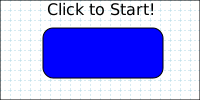
stroke=”black” filter=”url(#closeDropShadow)” >
repeatCount=”indefinite” attributeName=”fill” from=”blue”
values=”lightblue; blue; lightblue” fill=”freeze” />
<animate begin=”click” dur=”1.0s” repeatCount=”5″ attributeName=”fill”
values=”red; peachpuff; lightgoldenrodyellow; plum; white; red” fill=”freeze” />
<animate begin=”click+4.5s” dur=”2.0s” attributeName=”y” calcMode=”linear”
values=”0; 1; 2; 4; 8; 16; 32; 64; 128; 256;” additive=”sum” fill=”freeze” /> <set begin=”click+6.4s”
attributeName=”opacity” to=”0″ fill=”freeze” />
<set begin=”click+12.0s” attributeName=”fill” to=”blue” />
<set begin=”click+12.0s” attributeName=”opacity” to=”1″ />
</rect>
This element is an addition to the SMIL standard to allow you to animate an object along a path.
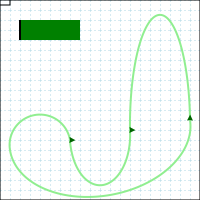
<mpath xlink:href=”#myAniPath” />
</animateMotion>
This element is included for compatibility with the SMIL standard. It is identical to the ‘animate’ element except that the ‘to’, ‘from’ and ‘by’ attributes must be colors.
Since the other animation elements only animate a single attribute, a different way to animate transformations is required. To animate a transformation you use the animateTransform element which adds a ‘type’ attribute so that you can specify what type of transformation you are animating.
Note: You still need to specify the ‘attributeName’ attribute with this element or no animation occurs.
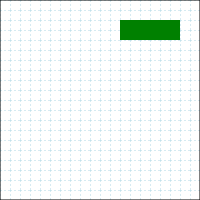
type=”translate” from=”10,10″ to=”140,180″ dur=”5s”
additive=”sum” fill=”freeze” xlink:href=”#snow” />
<animateTransform begin=”startButton.click” attributeName=”transform”
type=”rotate” from=”0″ to=”270″ dur=”5s”
additive=”sum” fill=”freeze” xlink:href=”#snow” />
The above example uses the attribute ‘additive’ with the value ‘sum’ so the second animation doesn’t replace the first. The default value of ‘replace’ would result in the 2nd animation overwriting changes made to the ‘transform’ attribute by the 1rst animation.
Offset Timing

The second way to animate in SVG is using the built in scripting language, ECMAScript (Javascript), and doing the animation by using a timer and directly changing the values. The animated 3D cube works by computing new values for the polygons each time the timer fires.
Comments