
How to get an audio track from a CD
July 23, 2006 | 0 comments
How to get an audio track from a CD
Most CD Audio is copyrighted. Be sure you understand these copyright laws before copying audio from a CD.
Using Windows Media Player to Copy Audio
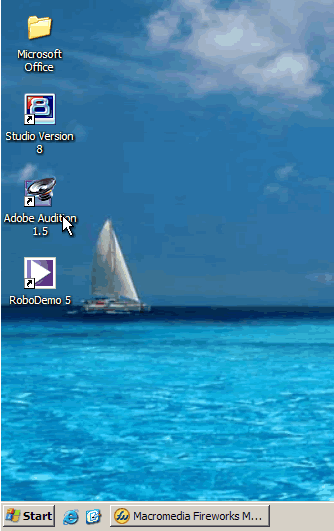
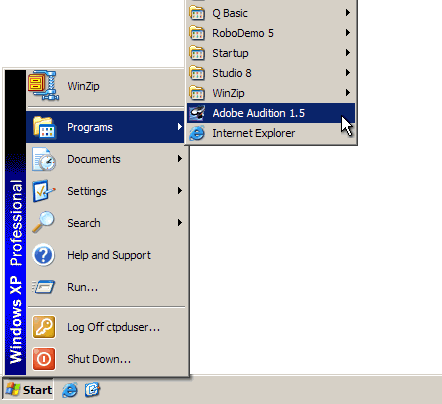
- Open Adobe Audition from either the Desktop Shortcut or the Start Menu
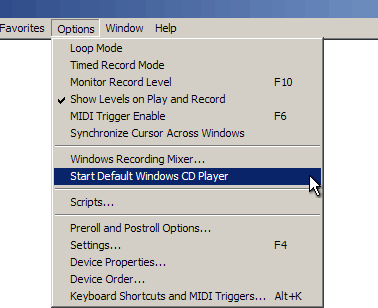
- From the Options menu bar item, choose “Start Default Windows CD Player”
- When Windows Media Player loads, insert your CD and choose “Copy From CD”
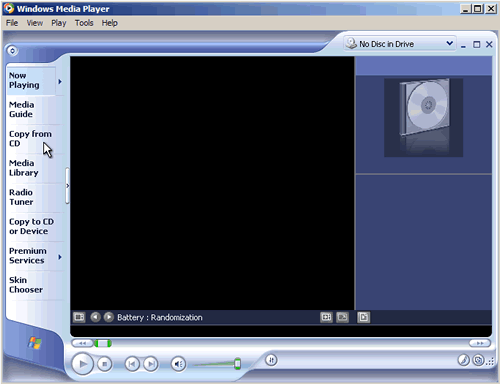
- If your CD Tracks are unknown, right click on any track and choose “Find Album Info” to download the track listing
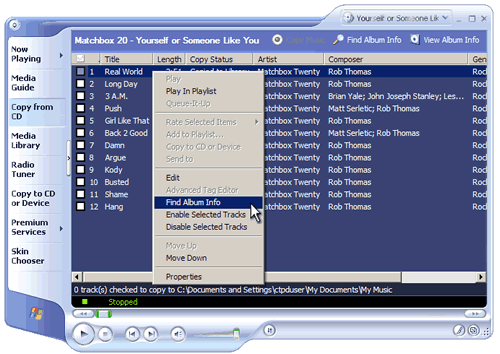

- Check only the file(s) you wish to copy and then choose “Copy Music” from the upper-right menu
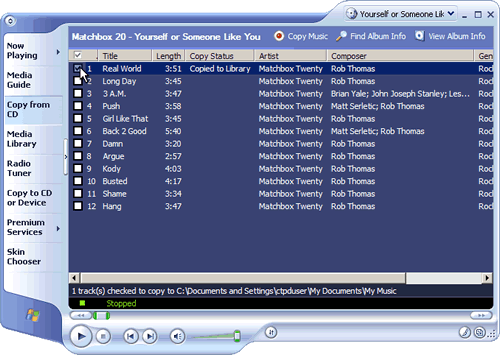
- Your audio has now been copied to your “My Documents My Music” folder in .WMA format
If you are in the Center for Technology & Professional Development,
this location is C:Documents and SettingsctpduserMy DocumentsMy Music
Comments