
Add track cues
July 24, 2006 | 0 comments
Add track cues.
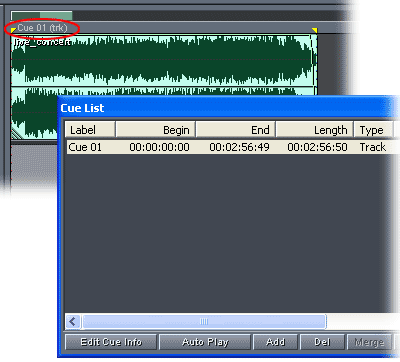
Select the audio you want to place on the first track of the CD, and press Shift+F8 to add a track cue range. Repeat for each track on the CD.
Adobe Audition interprets each track cue range as a CD track when you mixdown the session to a CD project. You can also add track cues by selecting a range of audio, clicking Add in the Cue List window, and choosing Track as the cue type.
Comments