
Extend the loop to repeat it
July 24, 2006 | 0 comments
Extend the loop to repeat it.
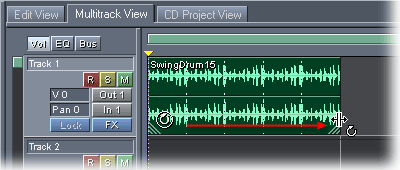
Click to select the loop in the track. Then, drag the bottom right corner of the loop to extend and repeat the loop for the number of bars and beats you want. (You can also drag the bottom left corner to increase or decrease the number of loops.) A vertical line appears and snaps the loop to it as you extend the loop, locking it to the rhythm of the tracks.
To preview the session with the loop, press the spacebar. Press it again when you’re through.
Comments