
Record a track
July 24, 2006 | 0 comments
Record a track.
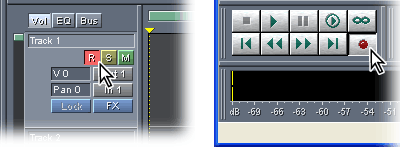
Click the Arm Track button in the first track, and then click the Record button in the transport controls. When you finish recording, click the Stop button in the transport controls. Then protect the track from later recordings by again clicking the Arm Track button.
When recording from a microphone, it’s best to monitor with headphones and turn down your speakers. This approach prevents feedback and unwanted sounds from other tracks.
Comments