
Create a nice logo for your Online Shop
1. Create a New Document 170x120px with transparent background.
2. Set Foreground Color to #262626 and draw rounded rectangle with Rounded Rectangle Tool(U) – Radius 10px:

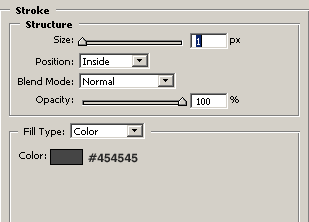
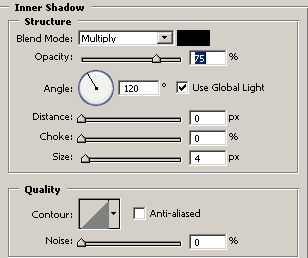
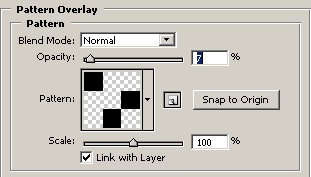
3. Go to Blending Options and apply:
Stroke

Inner Shadow
Pattern Overlay
My Result:

4. Add a text using Horizontal Type Tool(T) with color#E7D039, I use font Swiss 721 BT:

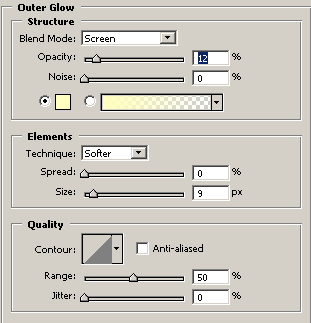
Go to Blending Options and apply:
Outer Glow
Gradient Overlay
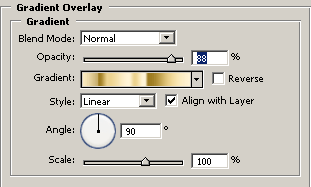
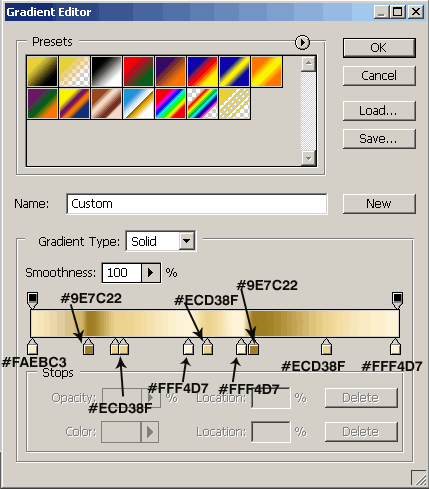
My Results:

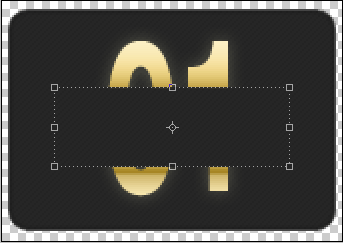
5. Draw rectangle using Rectangle Tool with color #262626, go to Blending Options and apply Pattern Overlay:
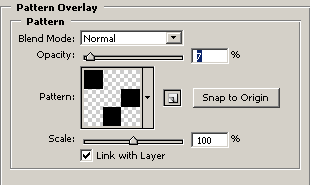
6. Now add a text Online Shop with color #E7D039, I use font Swiss 721 BT:

Apply Outer Glow and Gradient Overlay from Blending Options, use same options from step 4:

7. Draw a line with color #6D6D47 and add your text for slogan, I use font Verdana, color for font #8D7535 and Drop Shadow in Bending Options. My final results:

Comments