
Create a logo for Internet Provider Company
1. Create a New Document 300x150px and Fill with color #E6D8D8.
2. Draw a circle, color #A9DA00 using Ellipse Tool (U) with settings:
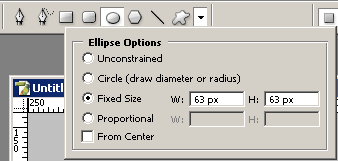
Results:

3. Repeat Step 2 using color #8DB600 and settings for Ellipse Tool (U):

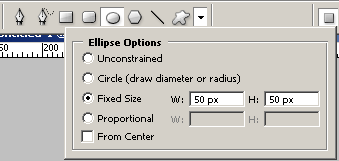
Results:

4. Repeat Step 3 using color #729300 and settings for Ellipse Tool (U):
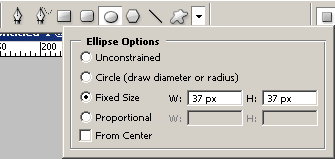
Results:

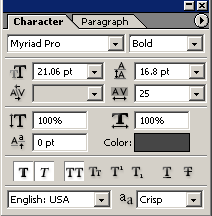
5. Now using color #FFF799 type ‘ISP’ with Type Settings:
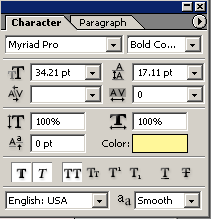
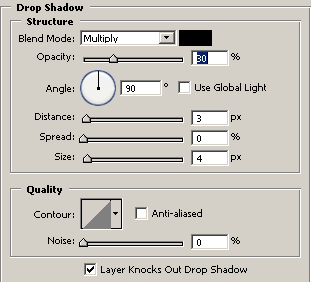
Apply Drop Shadow from Blending Options:
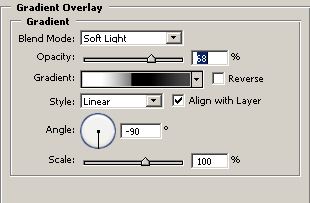
Go to Gradient Overlay from Blending Options:
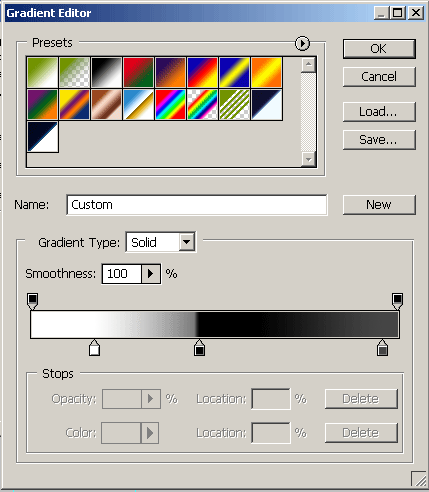
Set the gradient in Gradient Editor:
Results:

6. Now type name of Internet Provider Comany Using Type Tool (T) with settings:
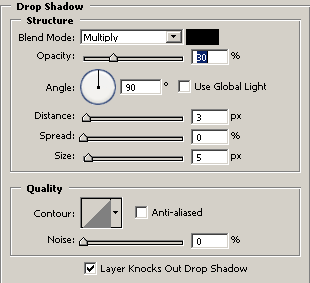
Apply Drop Shadow from Blending Options:
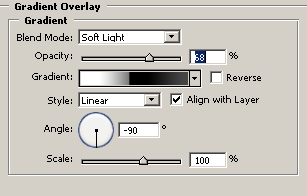
Go to Gradient Overlay from Blending Options:
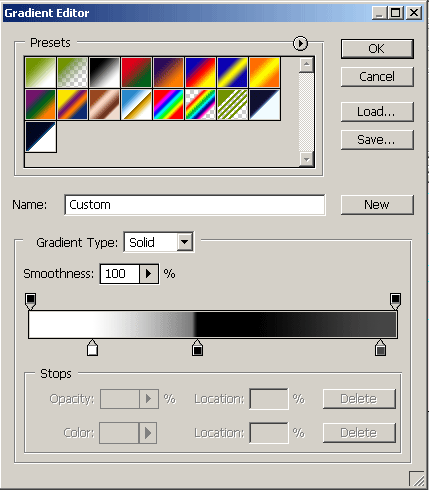
Set the gradient in Gradient Editor:
Results:

7. Now we’re giving the final touches, add slogan for your Internet Provider Comany:

Good luck, and be sure to check out our other Photoshop Tutorials!
Comments