
HeatVision Photo Effect
October 5, 2006 | 0 comments
Heat-vision
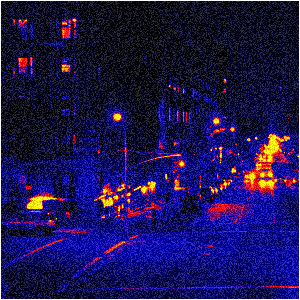
Predator had it… So why can’t you? Transform your photo’s into real heat-vision screens. You can take any photo from day or night to get that effect Solid Snake can only dream of seeing…
Ever seen the movie Predator?
-
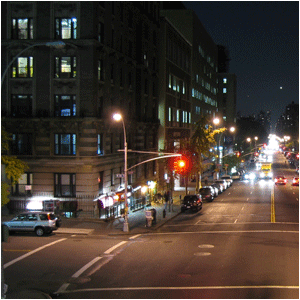
Step 1 Open up a picture (at night) where you want to add this effect to;
-
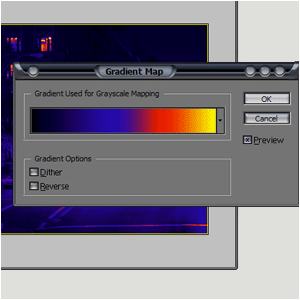
Step 2 Go to Image>Adjustments>Gradient Map and add these settings;

-
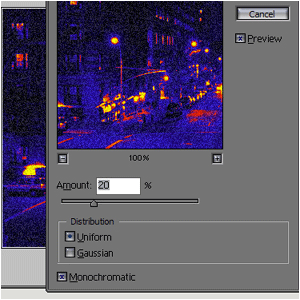
Step 3 Then add Filter>Noise>Add Noise and set it to 2 or 3;
-
Step 4 And it should look like this:
Author : MICK MOOLHUIJSEN
HomePage : http://www.mickm.com
HomePage : http://www.mickm.com

Comments