
Angelina Jolie Virtual Extreme Makeover
Virtual Extreme Makeover
Give someone an extreme makeover by giving the eyes a different color, adding lipstick, blusher and eye-shadow. Great for when you want to try on new makeup, but don’t wanna put it actually on your face!
Add make-up to someone without it, or just add makeup to someone who allready has!
-
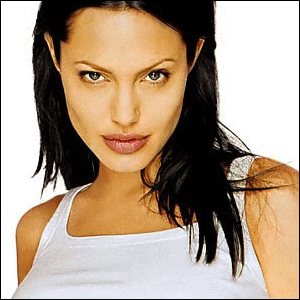
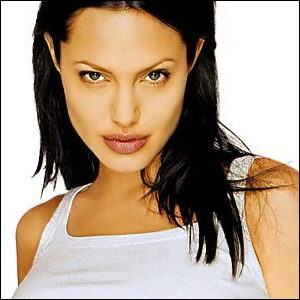
Step 1 Open up a picture of a random person;
-
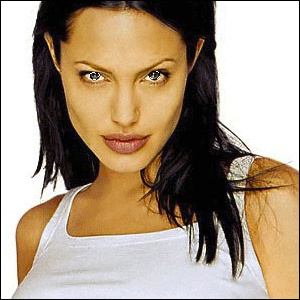
Step 2 select the eyes and copy them onto a new layer;

-
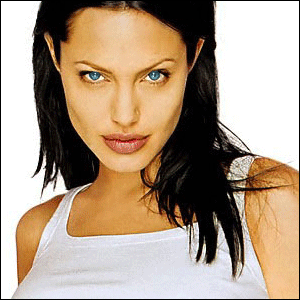
Step 3 Make them heaven-blue by pressing CTRL+U;
-
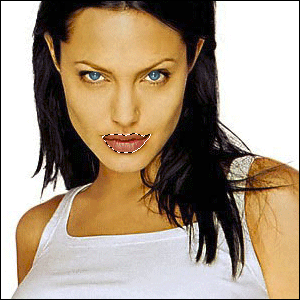
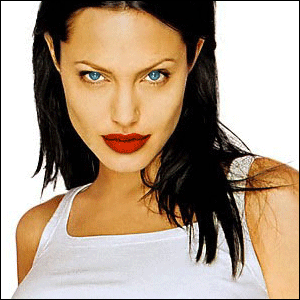
Step 4 Select her lips and copy them onto a new layer;
-
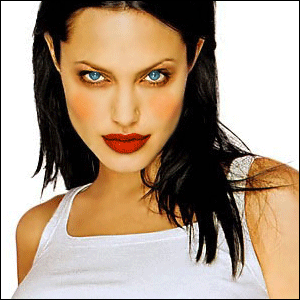
Step 5 Make them erotic-red by pressing CTRL+U;
-
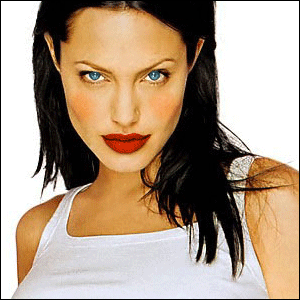
Step 6 Add with a red brush with a low opacity some blusher;
-
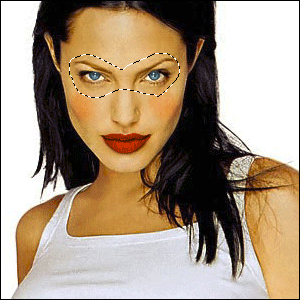
Step 7 Select her eyes and copy them onto a new layer;
-
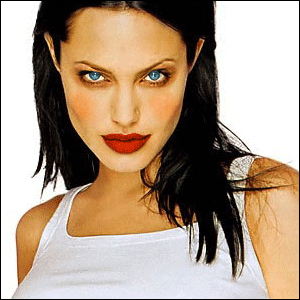
Step 8 Use the burn-tool to make some eye-shadow around the eyes;
-
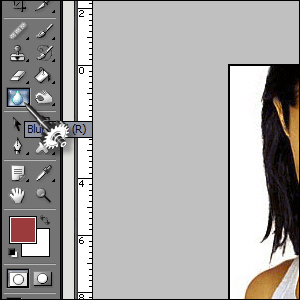
Step 9 Now get the blur-tool from the ToolsChest;
-
Step 10 Blur the skin of the base-layer and make her/him (in my case her) skin look like a model;
-
Step 11 Add all layers and you’re done;
-
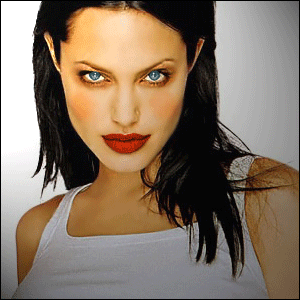
Step 12 You can also add some lightning effects; (Filter>Render>Lightning Effects)
HomePage : http://www.mickm.com

Comments