
Shine Animation – Shining Bodyparts
Shine Animation – Shining Bodyparts
Learn how to make an animation in Image-Ready where you make a a piece of bodycast shine like I did with some Sith-armor. You can do this with all kinds of metal or plastic…
Learn how to create an animating flashing piece of metal!
-
Step 1 Open up a picture where you want to add this effect to;
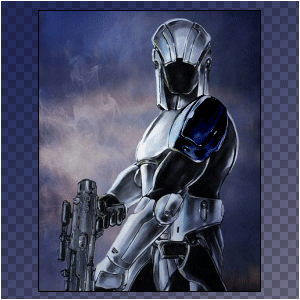
I used a Sith Trooper with a Diecast Metal Armor from STARWARS KotOR;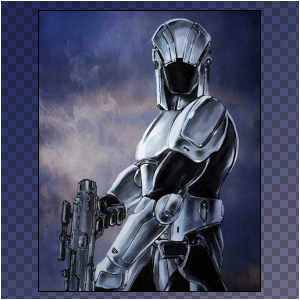
-
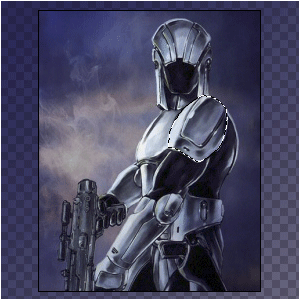
Step 2 Select the part you want to shine, and copy it onto a new layer;

-
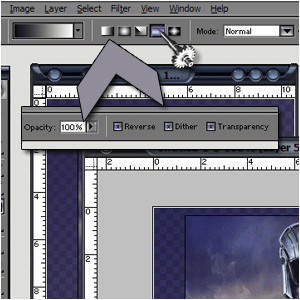
Step 3 Create a new layer above the (in my case) shoulder-part and add THIS gradient;
-
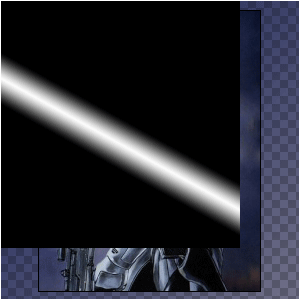
Step 4 make it look like this with the default colors BLACK and WHITE;

-
Step 5 Position the gradient layer;
-
Step 6 Press CTRL+G and set the blending-mode to overlay;
-
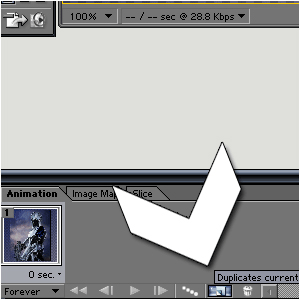
Step 7 Hop onto Image-ready and press the following button;
-
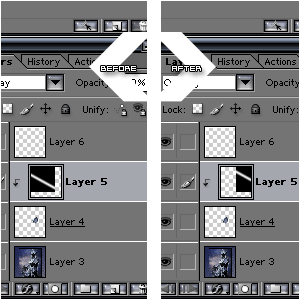
Step 8 Make the 1st frame have a palette like on the left, and the 2nd frame like the one on the right;
-
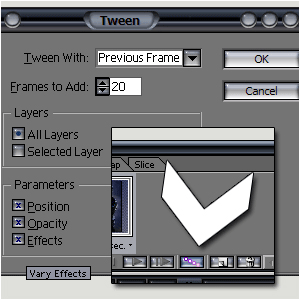
Step 9 Press the tween-button and set these options;
-
Step 10 And this is what it looks like when you’ve done everything correct:
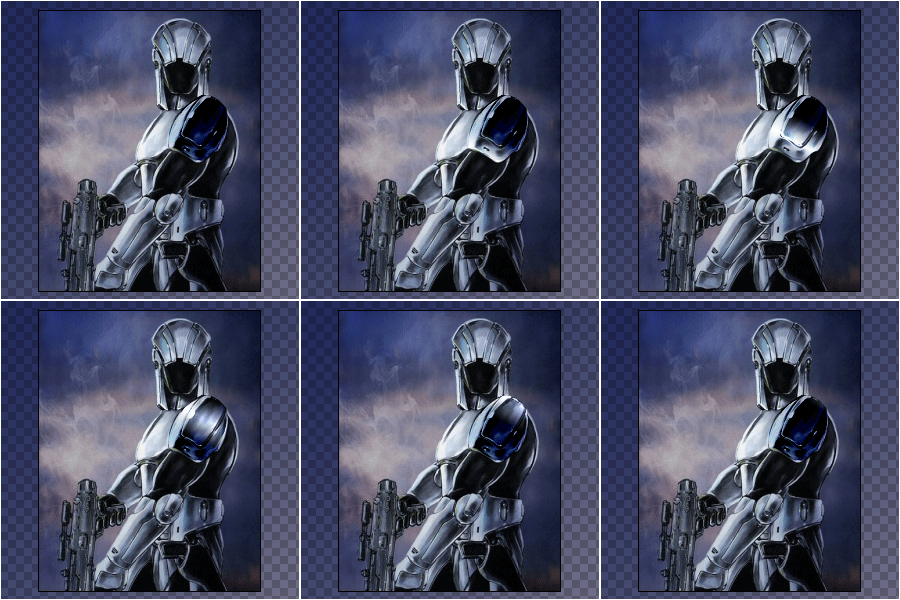
Author : MICK MOOLHUIJSEN
HomePage : http://www.mickm.com

Comments