
Mystique Makeover – X-treme Facials
Mystique Makeover – X-treme Facials
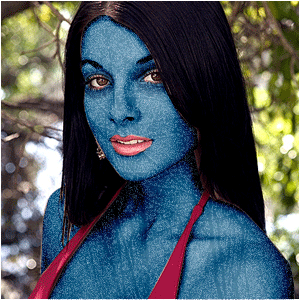
Change any female (or male) into Mystique from X-men, with her rough bodyskin that can be used to transform into anybody she touches…
Transform somebody into Mystique from the X-men-comics!
-
Step 1 Open up a new image any size with a photo of someone random;
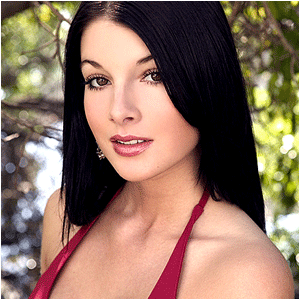
-
Step 2 Select all her skin with the pen-tool or some other tool;

Note:WHEN YOU KNOW HOW TO USE THE PEN-TOOL – USE IT! THE PEN-TOOL IS A GREAT TOOL FOR SELECTION SHAPES!
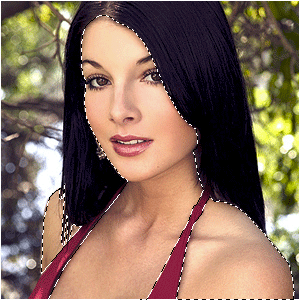
-
Step 3 Open up a picture of a forest you would normally see in winter and copy it into your document;
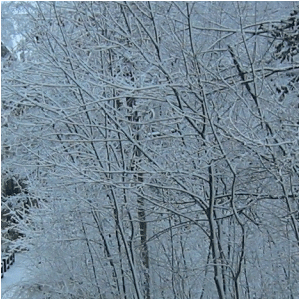
-
Step 4 Set the blending-mode to vivid-light;
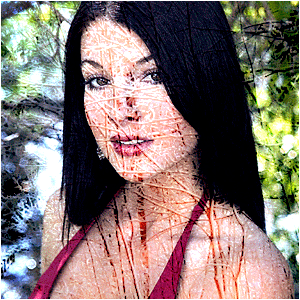
-
Step 5 Press CTRL+G;
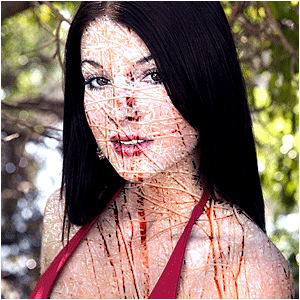
-
Step 6 Lower the opacity to a wanted amount;
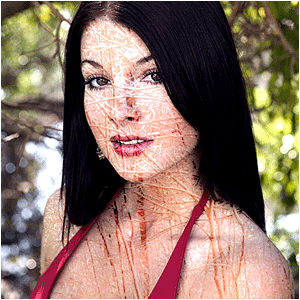
-
Step 7 Desaturate the forest by pressing CTRL+U and slide the middle arrow ALL THE WAY to the left;
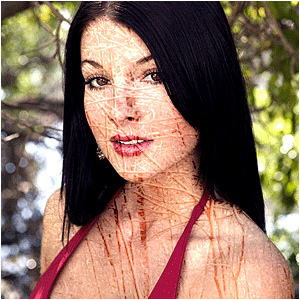
-
Step 8 Now select the skin-layer again;
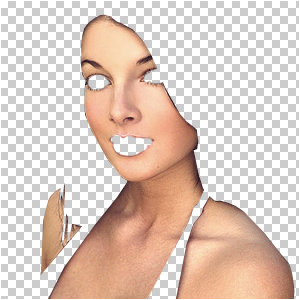
-
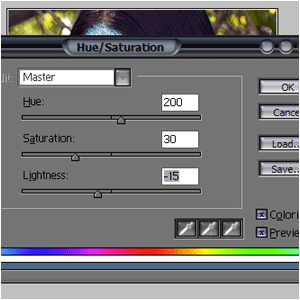
Step 9 Press CTRL+U and add these settings;
-
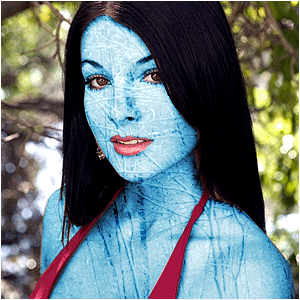
Step 10 Duplicate your skin-layer and set the blending-mode to overlay;
-
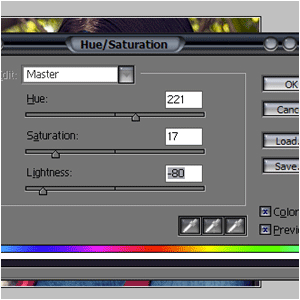
Step 11 Press CTRL+U again, but now add these settings;
-
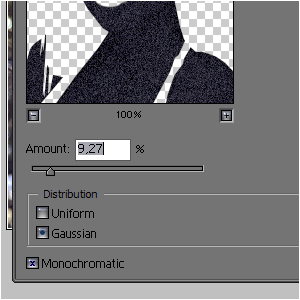
Step 12 Go to Filter>Noise>Add Noise and add some dots;
-
Step 13 And there you have Mystique, the gorgeous and deadly beauty!
-
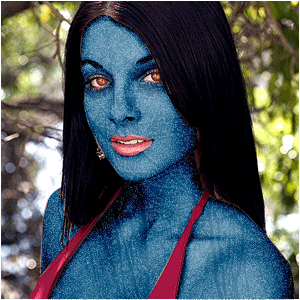
Step 14 Change the eye-color for an even more evil-look 😉
Author : MICK MOOLHUIJSEN
HomePage : http://www.mickm.com
Comments