
Anime Action Effect
Anime Action
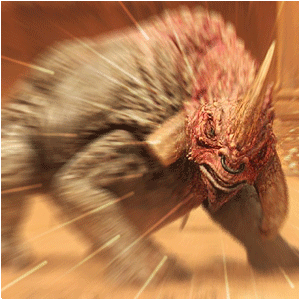
Learn how to create the motion-action lines used in Anime-cartoons. Get the focus on one point to draw all the attention to that particular point.
Make action-packed anime-tinted scenes from your average pictures!
-
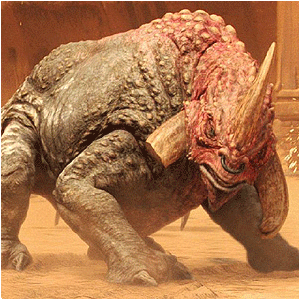
Step 1 Open up a picture with a person or an indiviual in it;
-
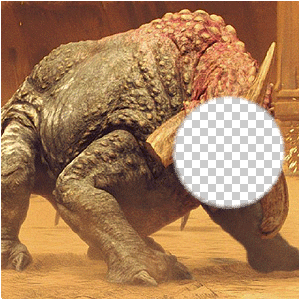
Step 2 Duplicate the base-layer and delete the place that you need to focus on;

Note:I DID THE FACE, BUT YOU CAN CHOOSE ANY POINT WHERE YOU WANT TO HAVE THE FOCUS ON!
-
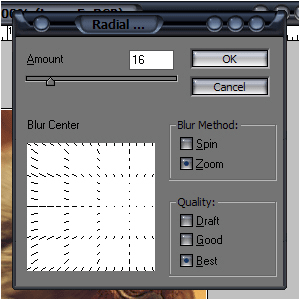
Step 3 Depending on where your gap is, add a radial blur by going to Filter>Blur>Radial Blur;
Note:CLICK IN THE FIELD TO CHANGE THE CORE OF THE BLUR, OTHERWISE, THE CORE WILL BE SET STANDARD IN THE CENTER OF THE IMAGE!
-
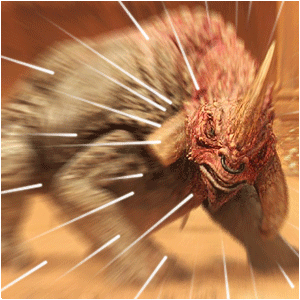
Step 4 Make both layers visible and add some lines with the line-tool;
-
Step 5 Choose “Stroke Path” and click Stimulate Pressure;
Note:THAT WAY, IT LOOKS LIKE THE LINES ARE MOVING, BECAUSE THE FADE…
-
Step 6 Change the blending-mode to Overlay and the opacity to about 25-50%, and you’re done…!
Author : MICK MOOLHUIJSEN
HomePage : http://www.mickm.com

Comments