
Music Festival Graphic Illustration
This task will teach us how to create cover for the entire Music Festival Album.
Start with creating a new file 300x216px and 72 dpi.
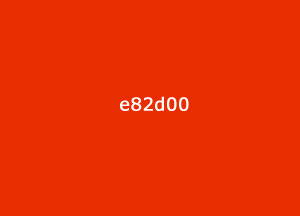
Paint the background, using the instrument  . And the color code which is indicated in the picture.
Take the brush  of yellow color (Opacity – 10%) and create a background, like in the picture.

Chose the instrument  now
now

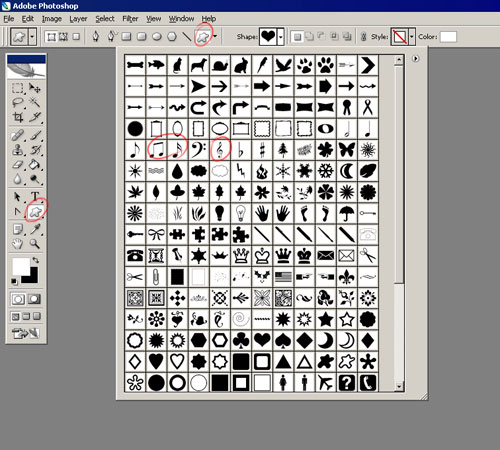
And display the notes, like it is demonstrated in the picture.

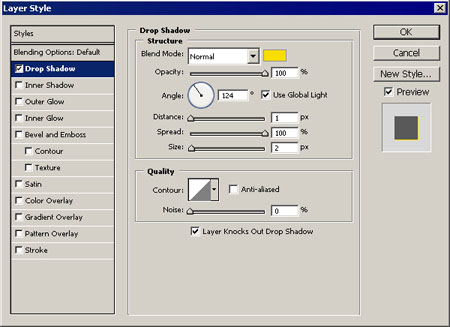
Make the musical key larger (Free Transform) and use the adjustments form Blending Options. Set everything out like in the picture.
Add a couple of stripes with the instrument  .
.

Copy them and display under the original one. Change the black color in yellow one.

Accentuate our work with well-known instrument


Result:

Add several circles of red and yellow colors in the end using the instrument  .
.

The final result.
Comments