
Retro Stars
Retro Stars
Create this very cool retro effect that can be used on groovy templates or just on oldskool layouts. Stars are the new wave! This effect was used in the admin-signatures of v8 of the forums…
Create Retro Stars that give that 80’s-effect!
-
Step 1 Search your shapes database of Photoshop for this funny star;

-
Step 2 Turn it a little bit to the left;


-
Step 3 We’re gonna use 3 colors;
Choose your colors first;
We are gonna use a light version, a normal version and a dark version of your color;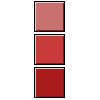
-
Step 4 Make sure the star is white and start using the Polygonal Lasso-Tool;
Click on the point of one of the spikes of the star and drag it down HOLDING SHIFT!
Make the selection finished like mine below, then fill it with the light color;
-
Step 5 Do the same with the other spike, but then use the normal color;

-
Step 6 Then again, but the light color;

-
Step 7 And the last one must fit perfectly, and it must be filled with the dark color;

-
Step 8 Do the same with a few other stars and you will have a nice image 🙂

Author : MICK MOOLHUIJSEN
HomePage : http://www.mickm.com
Comments