
Corleone – Mafia-text
October 9, 2006 | 0 comments
Mafia-text
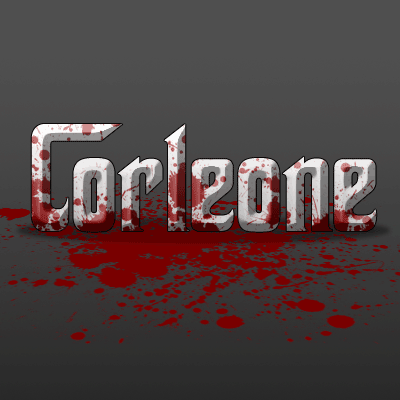
I used this text-style on my schoolproject Malavita. This is the perfect bloddy style that can be well suited for text with a mafia-theme…
This technique I used for the logo of my schoolproject Malavita
-
Step 1 Open up a new document and add your desired text in white;

-
Step 2 Add these blending-options to the text;

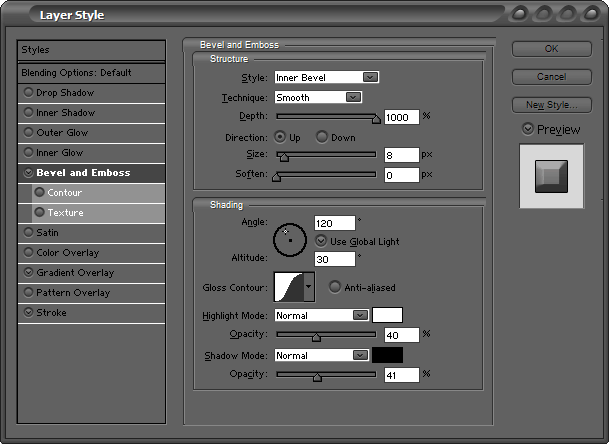
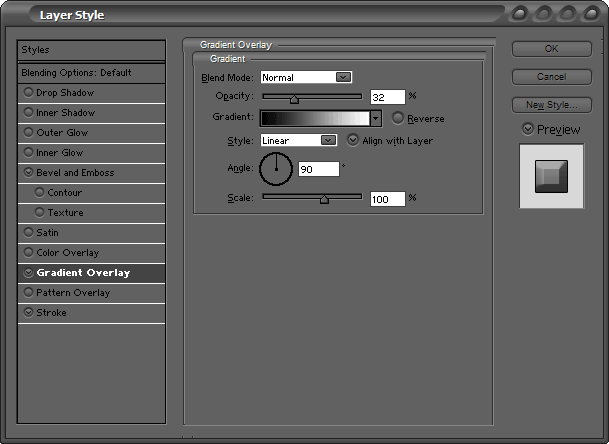
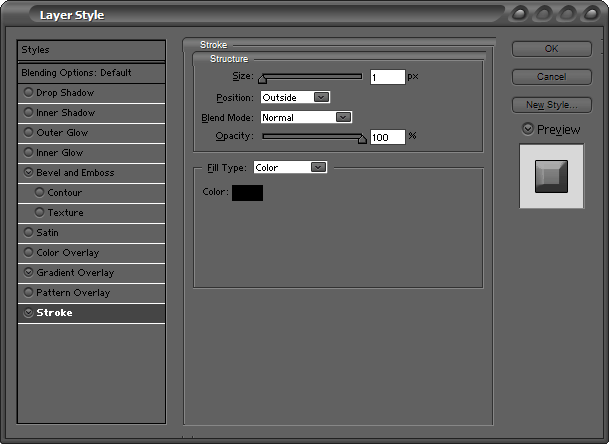
-
Step 3 It will look like this;

-
Step 4 Then grab some decent blood-brushes.

-
Step 5 Change the blending-mode to overlay;

-
Step 6 And press CTRL+G to group the layer with the text;

-
Step 7 And then you are done. Feel free to add a shadow, a reflection or more blood…
Author : MICK MOOLHUIJSEN
HomePage : http://www.mickm.com
Comments