
Draw a Realistic Pencil
We’ll learn how to draw realistic pencil with some simple techniques.
Create a new file with 300×380 px and 72 dpi.

Using the next instrument , create a figure with the indicated sizes below:

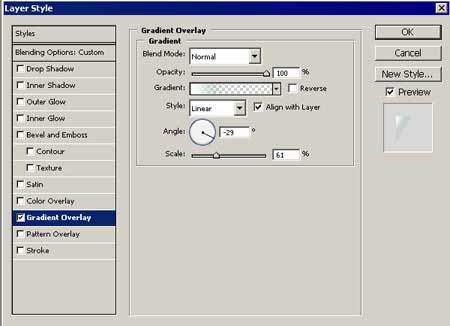
Apply Gradient Overlay:
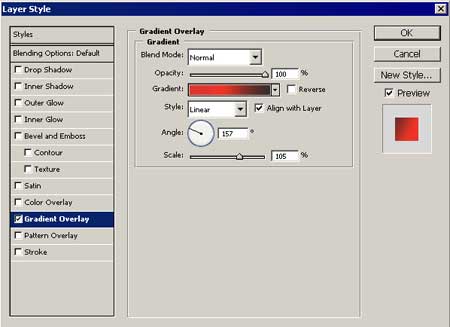

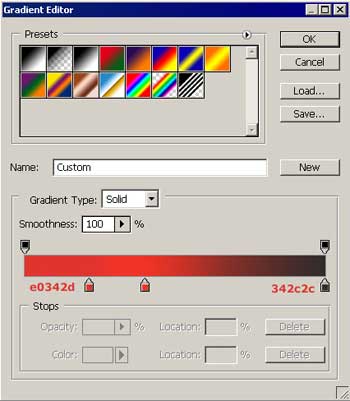
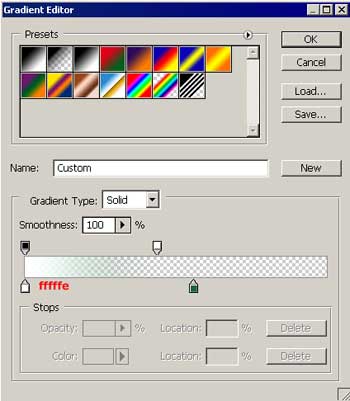
Gradient’s parameters:
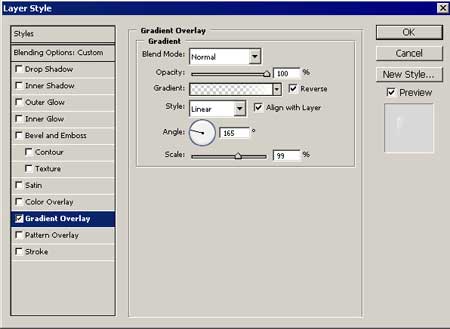
Copy the figure’s layer in the sector’s form. Minimize it with Free Transform option. Place it, like it is demonstrated in the picture and use the indicated parameters below:

Gradient Overlay:
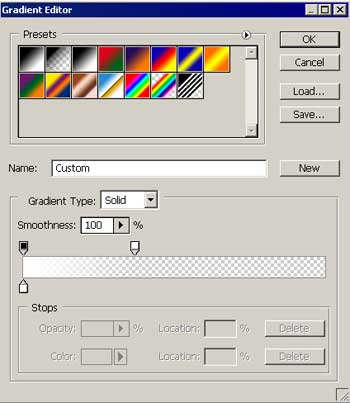
Gradient’s parameters:
Fill 0% on the layers<?xml:namespace prefix = o ns = “urn:schemas-microsoft-com:office:office” /><o:p></o:p>
Continue with the same instrument and create another figure with the shown parameters below:
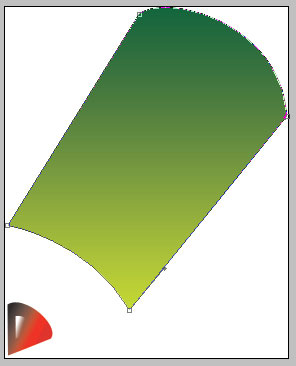
Gradient Overlay:
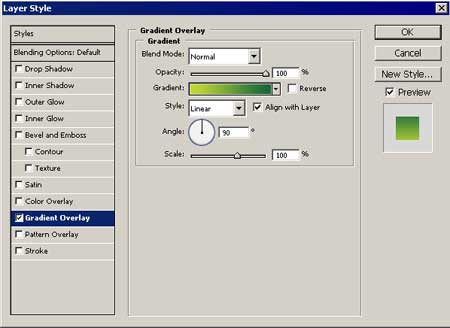
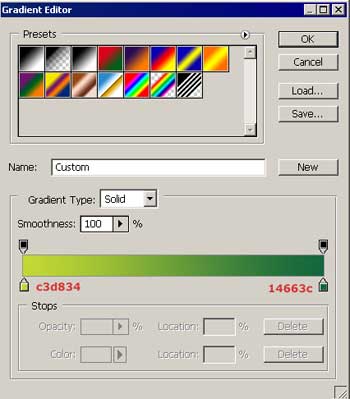
Gradient’s parameters:
Using the already known instrument, create a figure with the indicated parameters below:
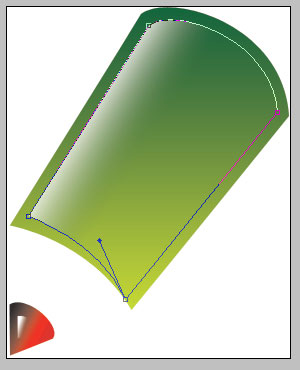
Gradient Overlay:
Gradient’s parameters:
Fill 0% on the layers
Comments