
Texture of black bubbles effects
Create a new file, having 450x450px and 300dpi. Apply the next instrument  and the codes that are indicated below.

Take the following instrument now  and represent a circle of white color, like in the picture below.

Using the same instrument, picture now a circle of black color, like it is done in the image below.
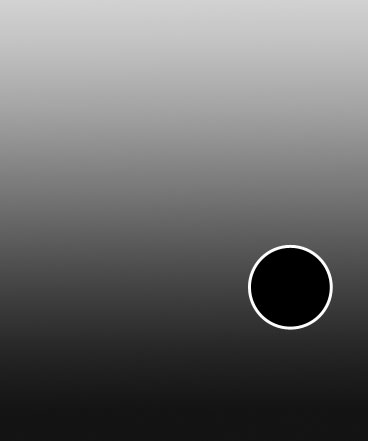

Take the previous instrument to draw another circle with the shown parameters next picture.

Blending Options-Gradient Overlay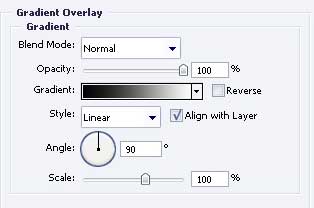
Gradient’s parameters. 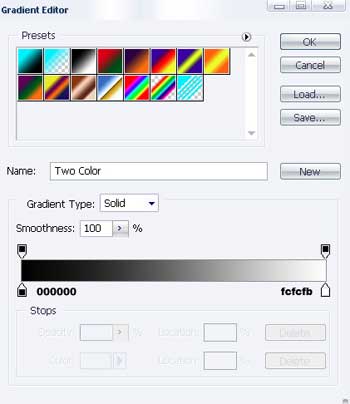
Apply again the next tool to picture one more circle, looking exactly with the next one.

Blending Options-Gradient Overlay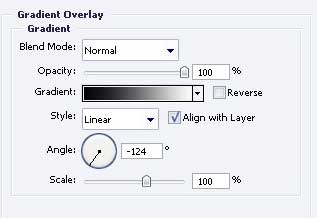
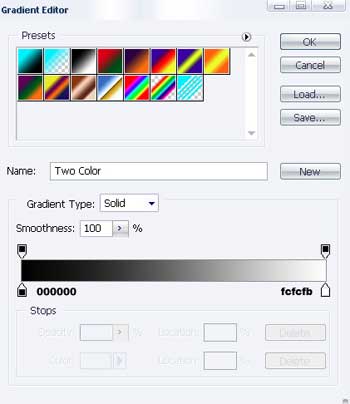
Gradient’s parameters.
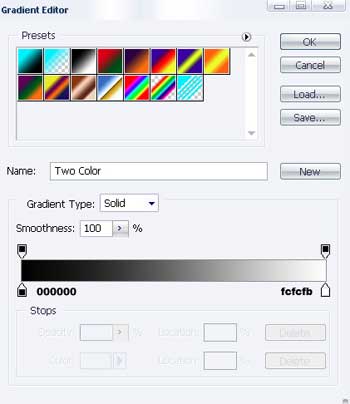
Take the same instrument to represent a circle with the sizes from the next image.

Blending Options-Gradient Overlay
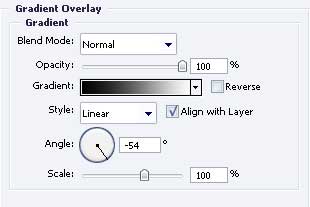
Gradient’s parameters.
For your convenience, merge now in a group all the layers that contain the circles. Copy the recently made group 182 times (yes – exactly 182 times!)
Apply now Free Transform option to minimize the copies where it is necessary and don’t forget to place out correctly the layers.
As a result we’ll have the next:
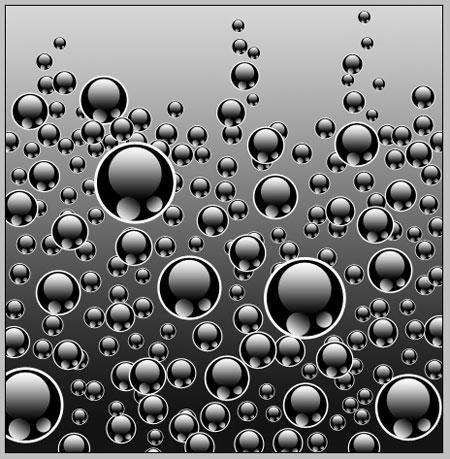
Finished!
+ practice this tutorial in the topic “Texture of black bubbles effects“
Comments