Categories

Partners
 
  • Photoshop Templates

  • Website Templates

  • Web Templates

  • Flash Web Sites

  • WordPress Templates

  • Free Ringtones

  • Free Stock Photos and Images

  • Photoshop

  • St. Louis LASIK | LASIK info

  • Load Cells

  • osCommerce Templates

  • Web Hosting


  • Website Templates
    Search


    Advanced Search


     »  Home  »  Adobe Photoshop  »  Drawing Techniques  »  Stylish molecule
    Stylish molecule
    Published  12/6/2006 | Drawing Techniques
       
    Stylish molecule - part 6


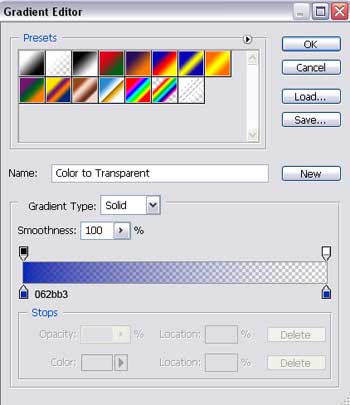
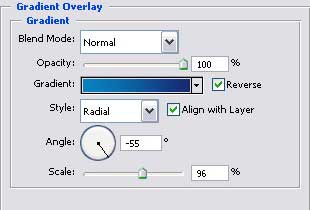
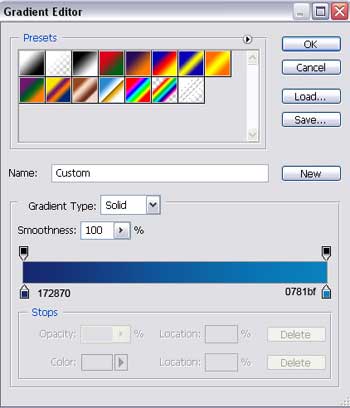
    Gradient’s parameters.

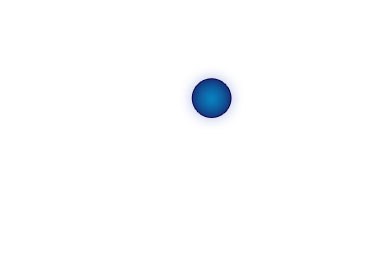
    Create Stylish molecule in Photoshop CS

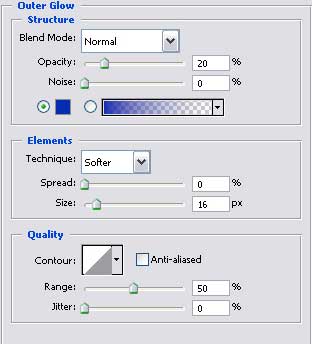
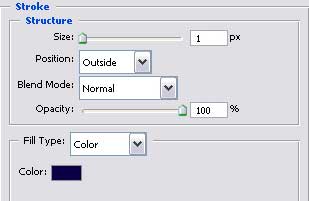
    Blending Options-Stroke

    Create Stylish molecule in Photoshop CS

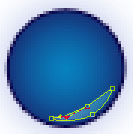
    Applying the last instrument, insert a figure of white color in our picture.

    Create Stylish molecule in Photoshop CS

    Create Stylish molecule in Photoshop CS

    Merge down now all the layers containing this

    Create Stylish molecule in Photoshop CS

    in a group.
    Copy this new made group 4 times and apply Free Transform selection to minimize it or increase it if it’s necessary.
    Turn it around now on 180 degrees horizontally.
    If it’s necessary, you may apply this instrument to make the appropriate corrections. Place everything out like it is shown next picture.

    Create Stylish molecule in Photoshop CS

    The final result!

    Create Stylish molecule in Photoshop CS Stylish molecule
    In this tutorial we will learn how to design a cool molecule.


    PSDTUTS+ Photoshop Tutorials and More