
Professional WebLayout for Business Company
December 8, 2006 | 0 comments
Open a new file, having 1100×900 px and 72 dpi. Apply the next tool now  and mark out the same place that is shown in the next picture, using the same parameters too.

Blending Options-Gradient Overlay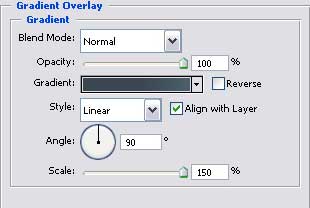
Gradient’s parameters.
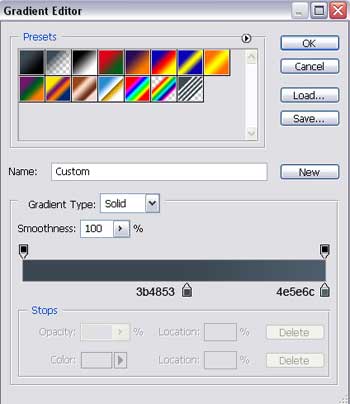
Having the next tool , insert now a rectangle with the sizes demonstrated in the lower image.


Blending Options-Drop Shadow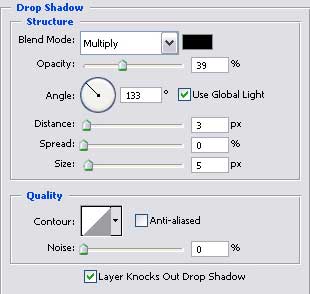
Blending Options-Bevel and Emboss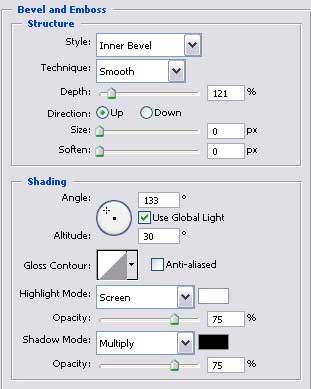
Blending Options-Gradient Overlay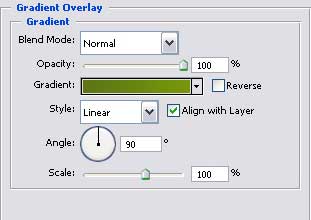
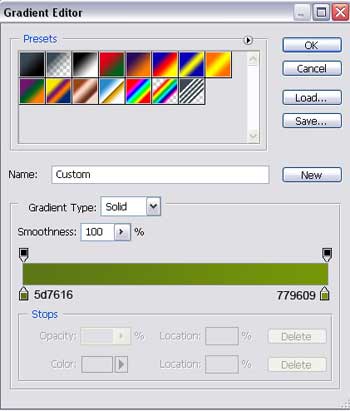
Gradient’s parameters.
Comments