
HomePage Icons Pack
December 11, 2006 | 0 comments
Open a new file with 217×470 px and 300 dpi.

Apply now the indicated instrument  and represent a figure colored in black with the parameters from the next image.


Using the instrument , create a figure with the sizes from below.


Radius-15px
Fill 0% on the layers.
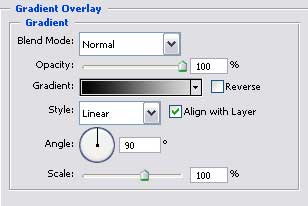
Blending Options-Gradient Overlay
Comments