Computer Store Web Layout

December 12th, 2006 by ART-D Posted in Adobe Photoshop, Web Layout

Applying next instrument now , it’s possible to represent a rectangle with parameters from Blending Options, like it is indicated next picture.

Computer Store Web Layout in Photoshop CS

Computer Store Web Layout in Photoshop CS

Make use of the following instrument on a new layer with the Opacity of 10% and create the flares like in the next picture.

Computer Store Web Layout in Photoshop CS

Represent next the menu of the future web-site. Insert the sections the future site is composed of and divide them by pointed lines which may be done using the regime of text’s inserting. The color code is 444B44.

Computer Store Web Layout in Photoshop CS

Insert the point many times and we’ll get a pointed line. Place it out on the necessary position and we’ll get a divider.

Computer Store Web Layout in Photoshop CS

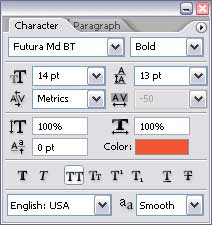
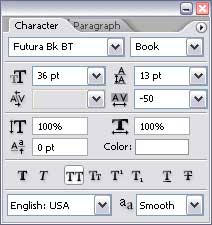
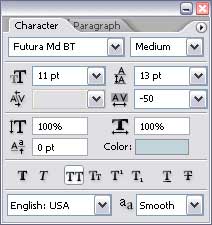
The next parameters may be used for the text.

Computer Store Web Layout in Photoshop CS

Separate now the menu from logotype by another pointed line and another simple line. Place them close one to another.

Computer Store Web Layout in Photoshop CS

Add to our header the picture of a DELL notebook. Right to the notebook must be inserted a short description of the notebook, its price, like in the next image.

Computer Store Web Layout in Photoshop CS

Post Pages: 1 2 3 4 5 6 7