Categories

Partners
 
  • Photoshop Templates

  • Website Templates

  • Web Templates

  • Flash Web Sites

  • WordPress Templates

  • Free Ringtones

  • Free Stock Photos and Images

  • Photoshop

  • St. Louis LASIK | LASIK info

  • Load Cells

  • osCommerce Templates

  • Web Hosting


  • Website Templates
    Search


    Advanced Search


     »  Home  »  Adobe Photoshop  »  Web Layout  »  Company Layout
    Company Layout
    Published  12/16/2006 | Web Layout
       
    Company Layout - part 1


    Open a new file with 760x795 px and 72 dpi. Use the next instrument to mark out the same region from below. The parameters you may see next step.
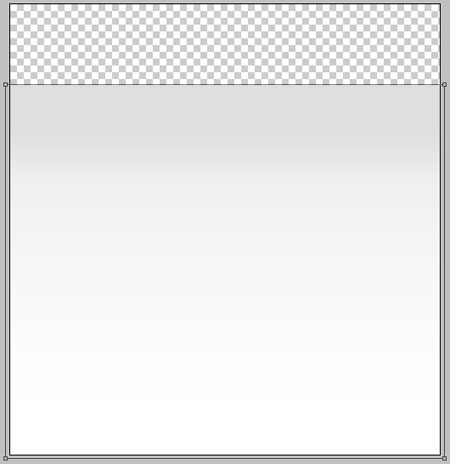
    Create Company Layout in Photoshop CS

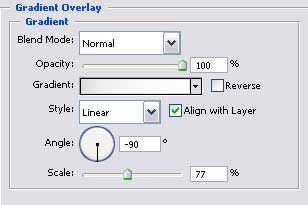
    Blending Options-Gradient Overlay

    Create Company Layout in Photoshop CS

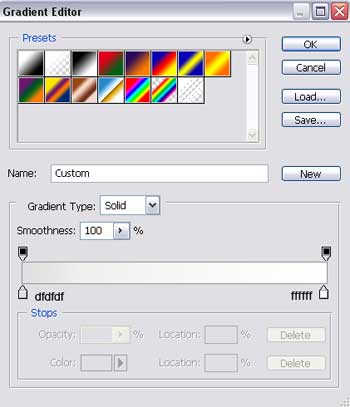
    Gradient’s parameters:

    Create Company Layout in Photoshop CS

    Take this instrument to create the lowest layer of the site to be with the sizes shown next picture.
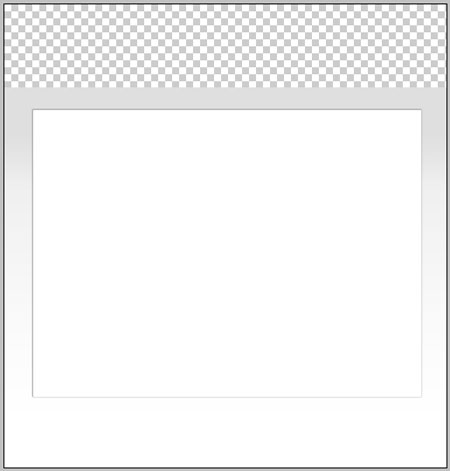

    Create Company Layout in Photoshop CS

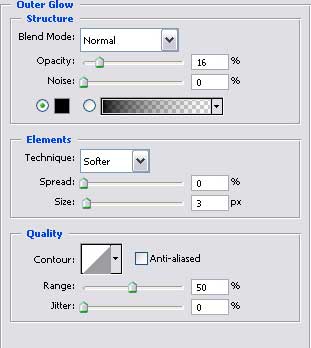
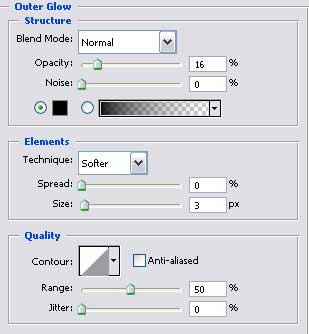
    Blending Options-Outer Glow

    Create Company Layout in Photoshop CS

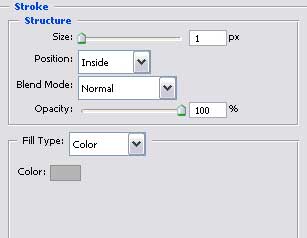
    Blending Options-Stroke

    Create Company Layout in Photoshop CS

    Using the same instrument represent the lateral panel colored in EDEDD9 with the parameters shown below.
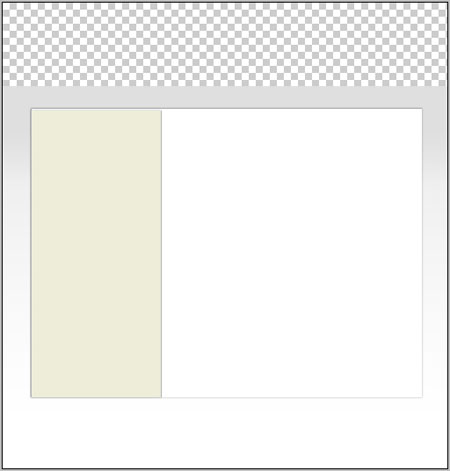
    Create Company Layout in Photoshop CS

    Blending Options-Outer Glow

    Create Company Layout in Photoshop CS

    Create Company Layout in Photoshop CS Company Layout
    Make a solid color company layout for your site.


    PSDTUTS+ Photoshop Tutorials and More