
Hosting Services Banner
December 20, 2006 | 0 comments
Open a new file with 550×150 px and 72 dpi. The next instrument  can be helpful in representing the background of the banner to be with the indicated parameters below.

Blending Options-Gradient Overlay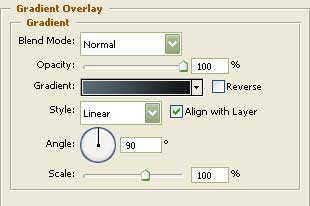
Gradient’s parameters:
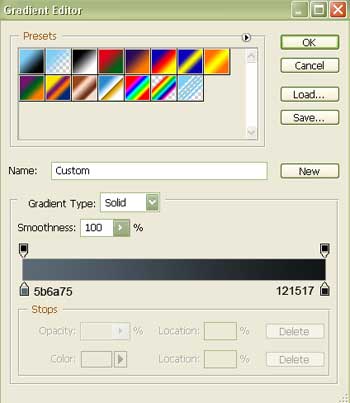
The same instrument will be helpful in creating the lowest layer of the button to be, colored in 191B1A with the sizes indicated next step.


Blending Options-Stroke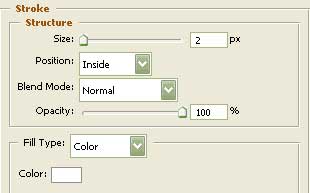
Using this instrument , create the second layer of the button with the indicated parameters next picture.

Blending Options-Bevel and Emboss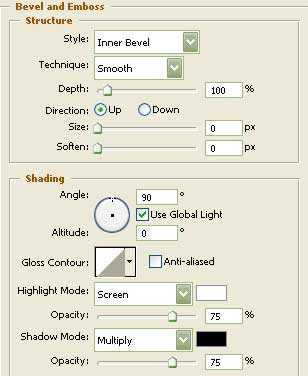
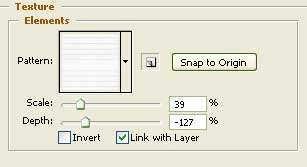
Blending Options-Bevel and Emboss-Texture
Comments