
Radio Station Header
December 31, 2006 | 0 comments
Create a new file that would have 593×250 px and 72 dpi. Use after that the indicated tool  to represent the lowest background.

Blending Options-Gradient Overlay
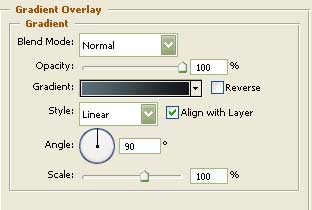
Gradient’s parameters: 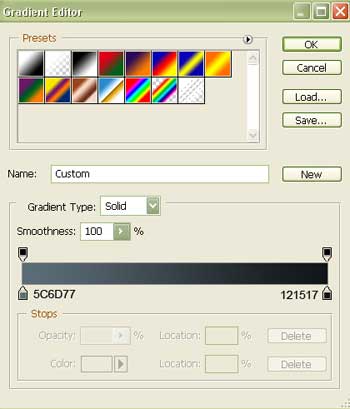
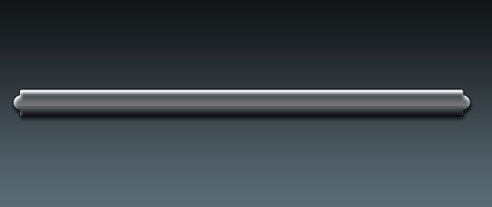
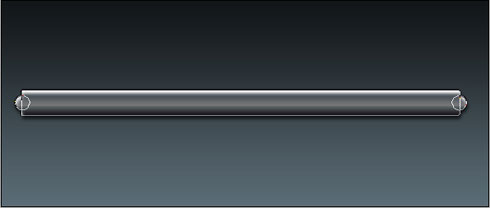
Take the following tool now  and create the menu for the buttons reserved for the site’s header. First you have to create the central part of the buttons’ panel, then click on the Shift button and represent two circles on the right side and on the left one.

Blending Options-Drop Shadow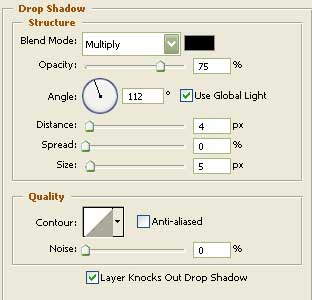
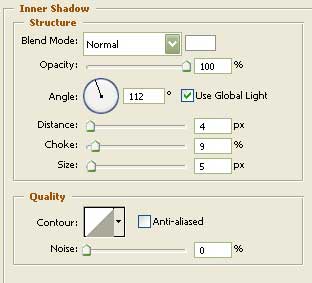
Blending Options-Inner Shadow
Comments