
Mobile Theme Design
January 3, 2007 | 0 comments
Create a new file having 200×210 px and 350 dpi. Select this instrument  to represent the background also.

Blending Options-Gradient Overlay
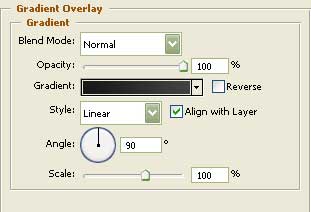
Gradient’s parameters: 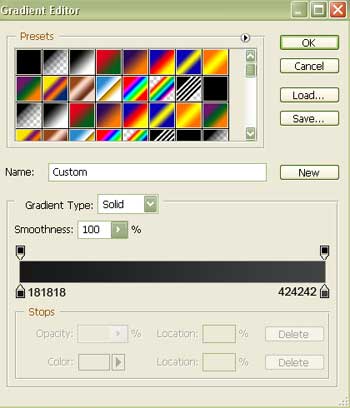
Take after that the shown tool  to represent the corps designed for a button. It will have black color.


Blending Options-Stroke
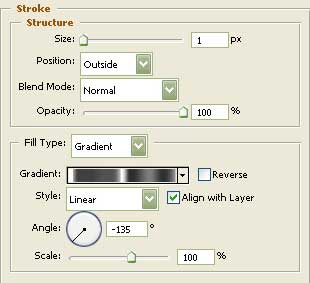
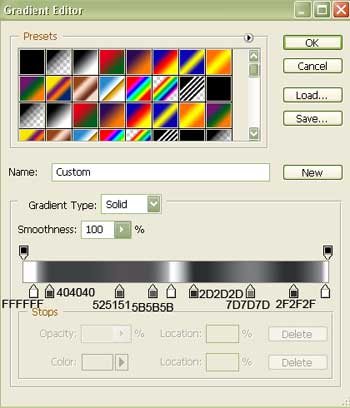
Gradient Editor
Comments