
Advanced Web Hosting Services Header
January 10, 2007 | 0 comments
Open a new file that would have 700x 258 px and 72 dpi. It must be painted in 002EAE.

Now we should take the following instrument  and create a texture’s cliché colored in 002A8F. It is reserved for the lowest layer of the site’s header. The cliché has next sizes: 4×4 px. You may see this picture below.

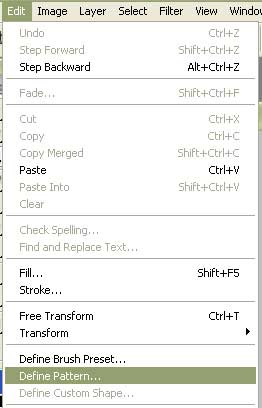
Save it!
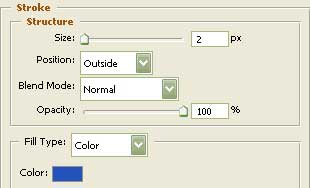
Using this instrument  on a new layer colored in 0135A1, represent the background’s layer. Apply the next parameters shown below.


Blending Options-Pattern Overlay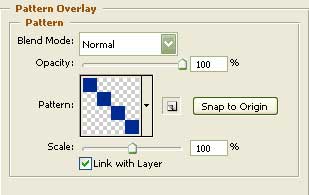
Blending Options-Stroke
Comments