
Create Mu Online Game Web Header
January 14, 2007 | 0 comments
Open a new file with 680×265 px and 72 dpi.
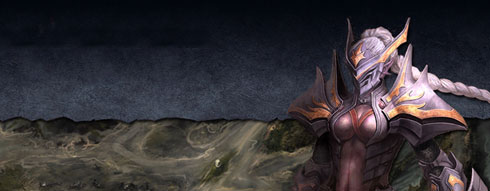
Choose an appropriate picture’s fragment from any Mu Online site with one condition. It must fill in the file’s sizes.
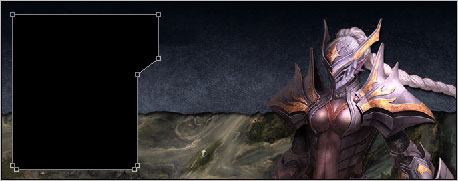
Take the next instrument  and represent the lowest layer painted in black for the lateral menu of the site’s header.
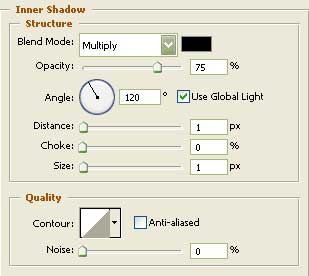
Copy this new made layer applying the parameters form the table below.
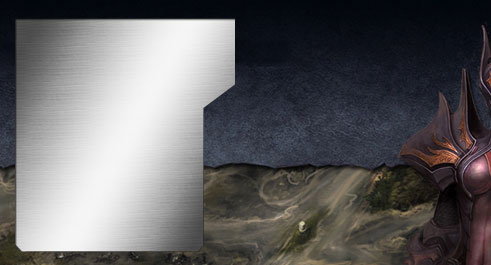

Fill 0% on the layers.
Blending Options-Inner Shadow
Blending Options-Gradient Overlay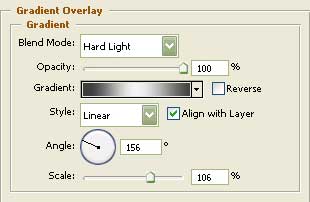
Gradient’s parameters: 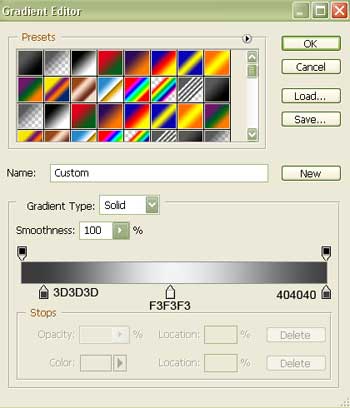
Comments