
Valentine Day Background
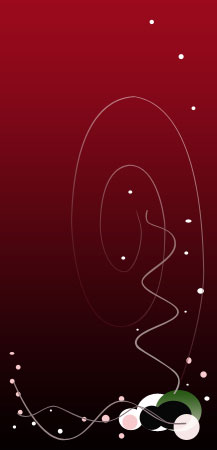
Final Image Preview

Create a new file that would have 217x450px, 300 dpi, then take the indicated tool  and create the background for the picture to be.

Fill 0 % on the layers.
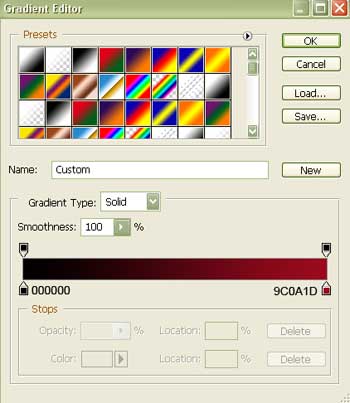
Blending Options-Gradient Overlay
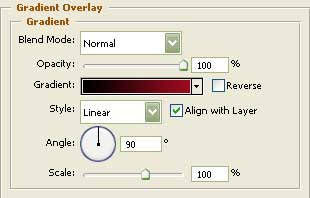
Gradient’s parameters:

Take now this instrument  and represent an ellipse of white color.

Copy the new made layer and make use of Free Transform option to increase the copy and place it the right way, indicated in the picture below.
 Take the previous instrument to draw one more ellipse.

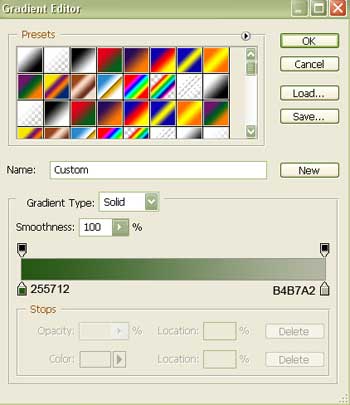
Blending Options-Gradient Overlay
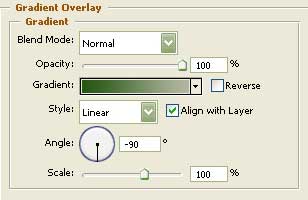
Gradient’s parameters:
Using the same instrument applied before, it’s possible to draw two more ellipses of black color.

Applying the usual tool , create a circle colored in F7E7E8.

on the layers.Take the last instrument to represent several more ellipses and circles colored with this color’s code – F7C9CC.

Now we should use the same instrument and create several circles and ellipses colored in white.

Apply now a different instrument, this one:  and represent a spiral figure.
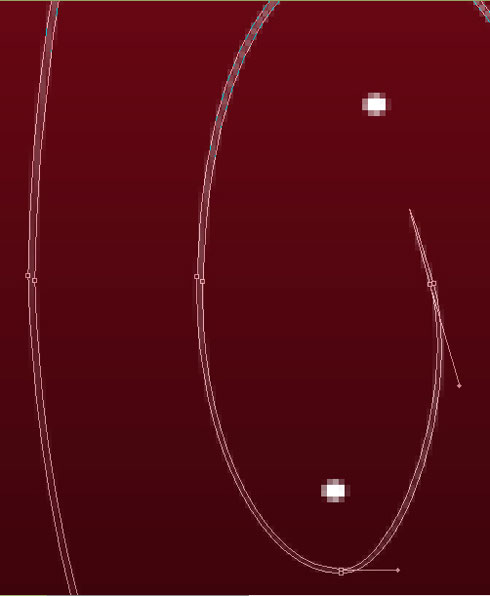
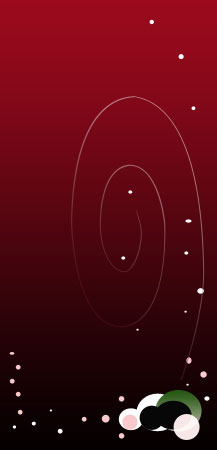
The Opacity on the layers should be of 50%.
Blending Options-Gradient Overlay
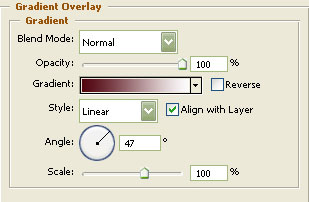 Gradient’s parameters:
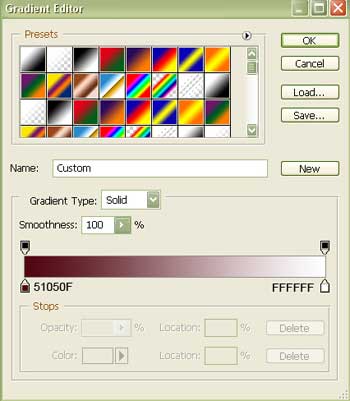
Take the same instrument and draw a wavy stripe colored with 998587.
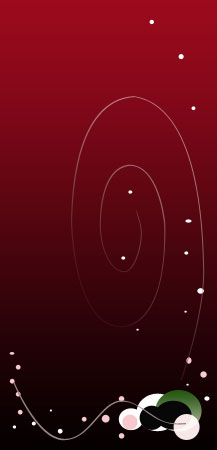
Take the next instrument and draw another wavy stripe colored with a different color now – 837076.
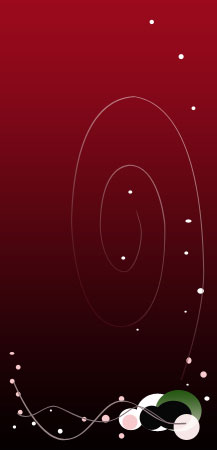
The same instrument and the next wavy stripe.
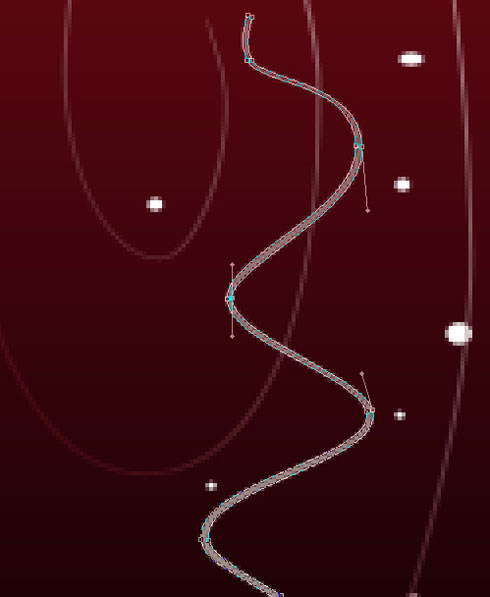
 Blending Options-Gradient Overlay
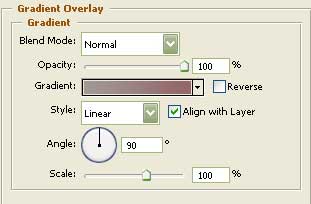
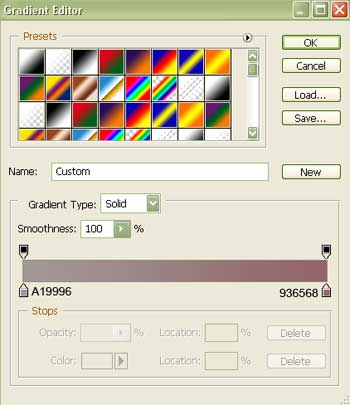
Gradient’s parameters:
Select the usual tool now for representing another stripe of wavy shape, colored in F9E7E3.

The next instrument  will help us to choose from the table below an appropriate cliché that will be inserted later in our picture. Choose that one accentuated with red color.
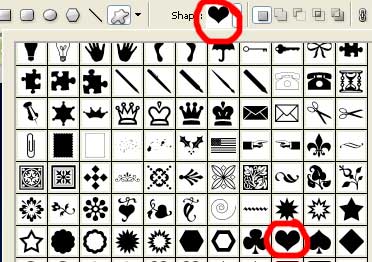
Represent now a heart figure colored in white.
 Choosing the same instrument and the same cliché (the heart), represent one more figure – the heart.

Blending Options-Outer Glow
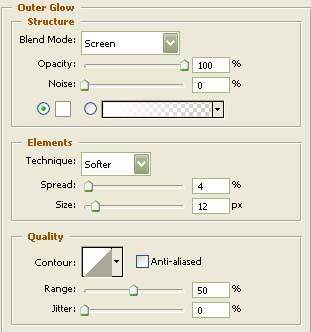
Blending Options-Gradient Overlay
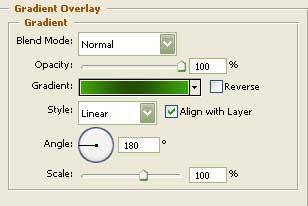
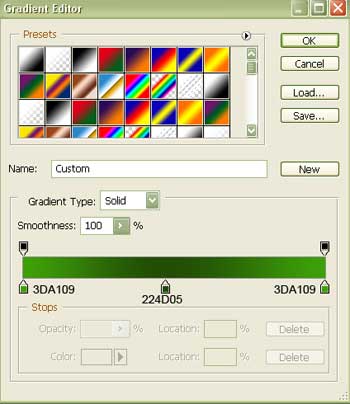
Gradient’s parameters:
Copy the new made layer and then apply Free Transform option to make it smaller a little, turn it around and place it exactly the way it is shown in the picture below.
 Select the last instrument and the same cliché to draw another heart figure.

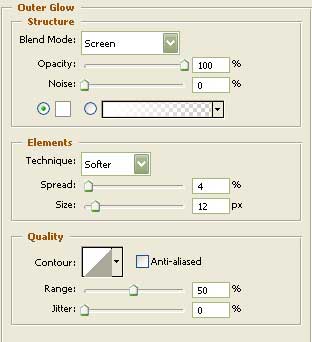
Blending Options-Outer Glow
Blending Options-Gradient Overlay
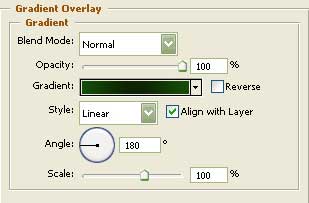
Gradient’s parameters:
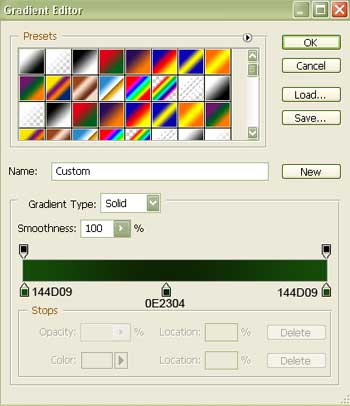
Copy this new made layer two times and select again Free Transform option to make it smaller, turn it around and place it the same way you may see in the following picture.
 Represent the same way another heart figure.

Blending Options-Outer Glow
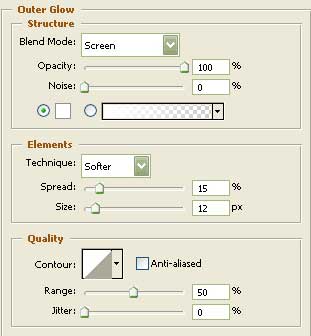
Blending Options-Gradient Overlay
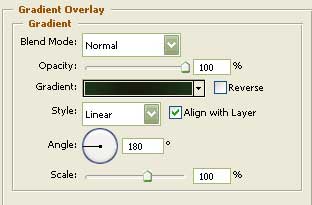
Gradient’s parameters:
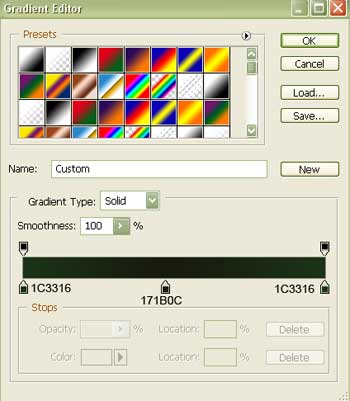
Copy the last made layer and make use one more time of Free Transform option to turn it around, minimize it a little and place it the way it is demonstrated in the next picture.
 Take after that a brush with blurred edges and white color to draw on each of the represented hearts a flare on their left sides.

Make a click now on the mouse’s right button on the first gradient layer to choose the option Create Layer. Erase now the layer having curved figures on it and keep only the gradient layer.
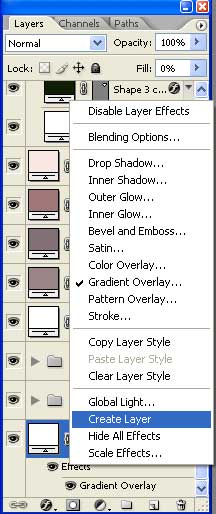
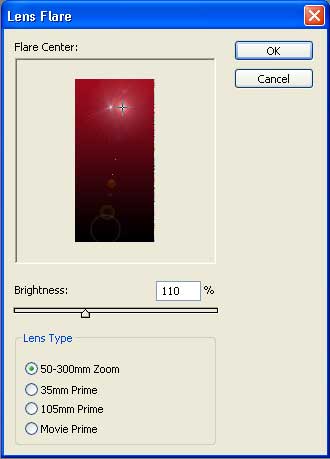
Choosing this layer, select in the upper menu the next combination: Filter/Render/Lens Flare…
and insert the parameters from below.
This is the final result!
Comments