
Professional Design Studio Web Layout
February 4, 2007 | 0 comments
Professional Design Studio Web Layout
Learn how to create a dark and professional website layout with detailed steps and maintain quality.
Create a new file that would have 766×700 px and 72 dpi. Using the next instrument  , represent the background of the site to be.

Blending Options-Gradient Overlay
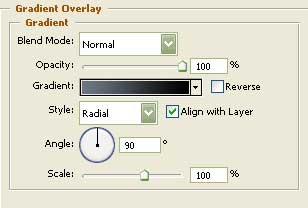
Gradient’s parameters:

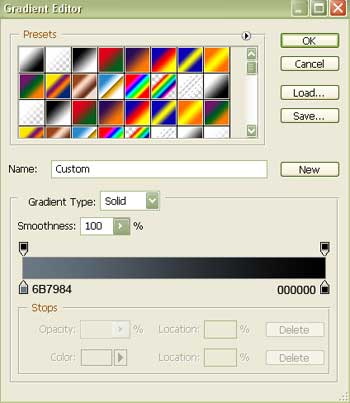
Take the previous instrument and represent the lowest layer designed for the site’s panel. Its color should be 1B242B.

Select now the next tool  that will help us to draw the frame of one of the site’s sections (the color is 1B242B).

Comments