
Design Bureau – The best creative ideas
February 16, 2007 | 0 comments
In this step by step tutorial you will learn how to create a colorful layout for Design Bureau.
Final Image Preview
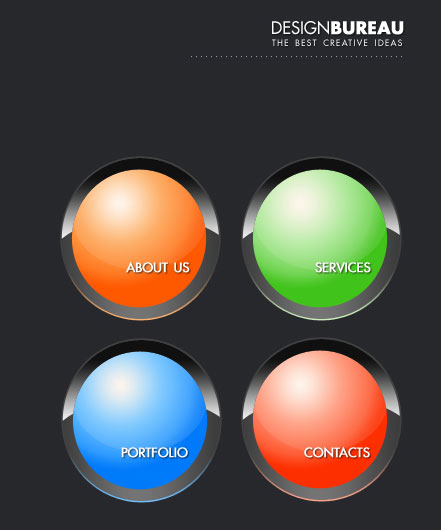
Open a new file that would have 766×700 px and 72 dpi. It must be painted in black.

Then you should select the next tool  and create the lowest layer designed for the menu’s button of the site.

Blending Options-Gradient Overlay

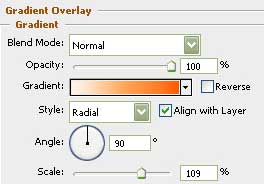
Gradient’s parameters:

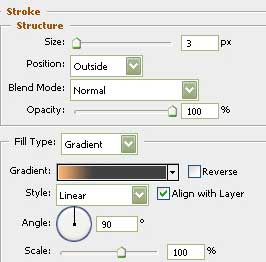
Blending Options-Stroke
Comments