Categories

Partners
  • Free Flash Website

  • Website Templates

  • Desktop Wallpapers

  • Adobe Photoshop Tutorials

  • Bittorent and
    Google desktop programs

  • Free Stock Photos and Images

  • Adobe Photoshop Tutorials

  • Merry Christmas Tree

  • IPowerWeb Hosting
  • Search


    Advanced Search


    PSD to HTML

     »  Adobe Home  »  Adobe Photoshop  »  Designing  »  Dragon Wallpaper
    Dragon Wallpaper
    Published  02/20/2007 | Designing

    Download PSD File

       
    Dragon Wallpaper - part 1


    A complete tutorial on how to make this abstract wallpaper.

    Open a new file that would have 1024x768 px and 72 dpi. Then make use of this instrument to represent the lowest background of the file.

    Create Dragon Wallpaper in Photoshop CS

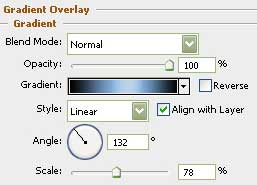
    Blending Options-Gradient Overlay

    Create Dragon Wallpaper in Photoshop CS

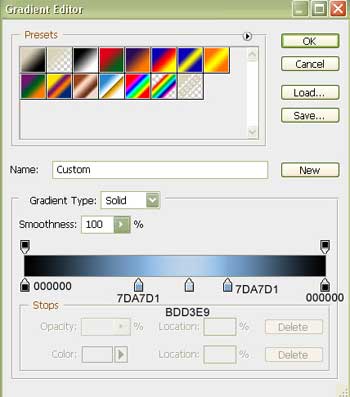
    Gradient’s parameters:

    Create Dragon Wallpaper in Photoshop CS

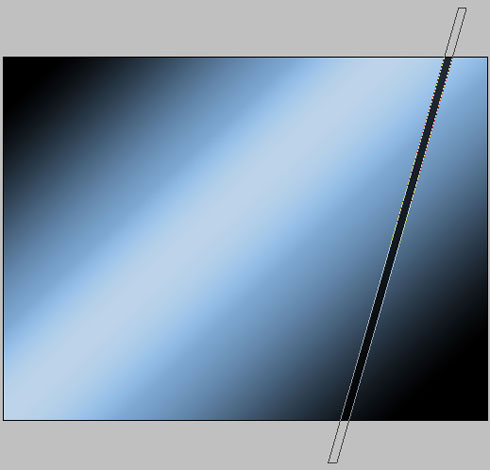
    Selecting the previous instrument, we have to draw now an inclined stripe, colored in 10161C.
    Create Dragon Wallpaper in Photoshop CS

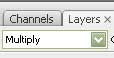
    on the layers we should have

    Create Dragon Wallpaper in Photoshop CS

    Represent the same way several other stripes, having the same color, but a different width.

    Create Dragon Wallpaper in Photoshop CS

    Create Dragon Wallpaper in Photoshop CS Dragon Wallpaper
    A complete tutorial on how to make this abstract wallpaper.