
XMPlay Icon
February 22, 2007 | 0 comments
A detailed guide to creating XMPlay icon.
Open a new file that would have 400×400 px and 72 dpi. Then select the next instrument  to represent the background for the next image to be.

Blending Options-Gradient Overlay
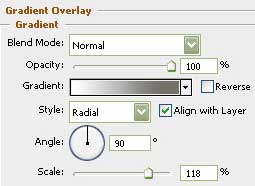
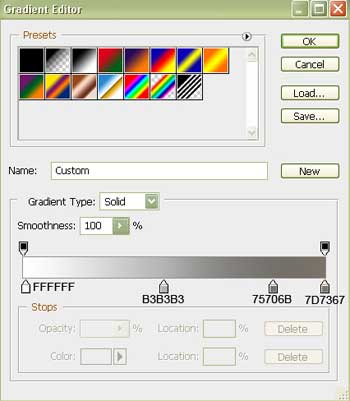
Gradient’s parameters:

Select after that the shown tool  and represent the lowest layer for the audio system to be.

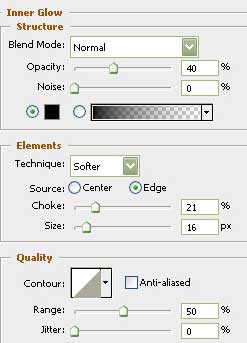
Blending Options-Inner Glow
Comments