
The Star Desktop Wallpaper
March 2, 2007 | 0 comments
Learn how to make a stylish star wallpaper.
Open a new file that must have 1024×768 px and 72 dpi. Then take the next tool  and represent the background for the picture to be.

Blending Options-Gradient Overlay
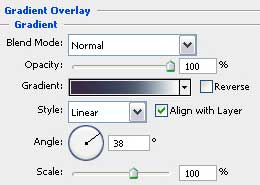
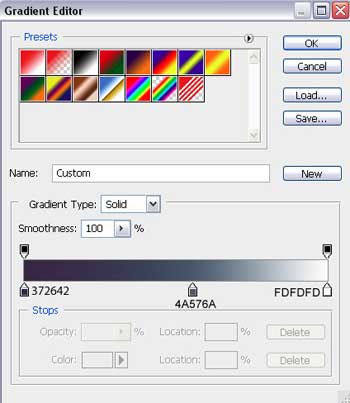
Gradient’s parameters:

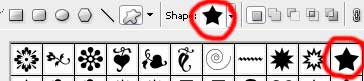
Choose the following tool now  and select the next cliché marked with red color.
Turn around the small cliché star, using the Free Transform selection.

Comments