
Linux Operating System Desktop Background
March 3, 2007 | 0 comments
Make a cute little Linux-esque penguin wallpaper with this detailed, step-by-step tutorial.
Create a new file with 1024×768 px and 72 dpi and paint it in black color, the way it is shown below:

Select now this instrument  and try to outline a penguin’s arm.



Fill 0% on the layers
Blending Options-Stroke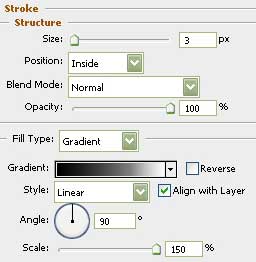
Gradient’s parameters: 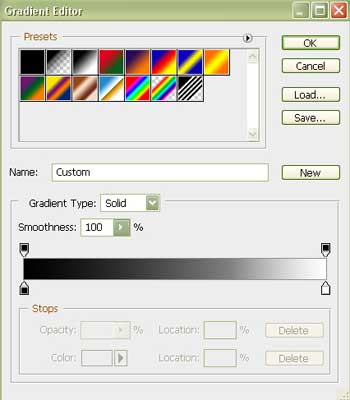
Comments