
Focal Points
May 12, 2006 | 0 comments
Focal Points
Author Name: TDW
URL: http://www.thedesignworld.com
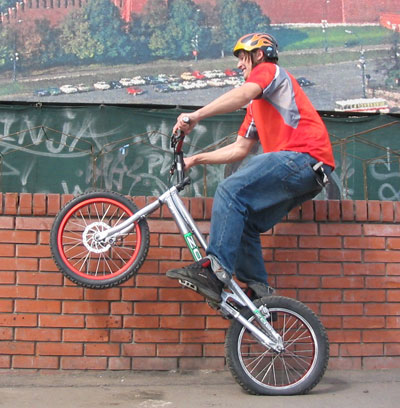
1. I used the image below, feel free to use your own image:
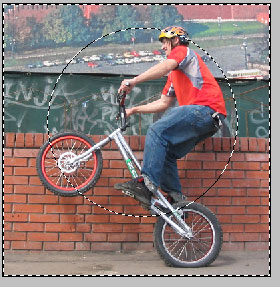
2. Now select the Elliptical Marquee Tool from the toolbar. Hold shift and make a circle over the part you want the image to be focused on, I put the circle over the surgery. After making your select go to Select>Inverse. Your selection should look like this:
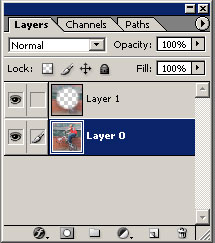
3. Now go to Edit>Copy then Edit>Paste. Your layers window should look like this:

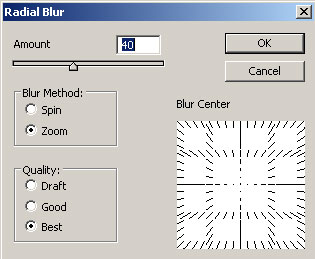
4. Now on the Layer 2 you need to apply Filter>Blur>Radial Blur. And use these settings:
There you go, you are done. Here is my focal point effect:

Comments