
Easter Eggs 2007
March 9, 2007 | 0 comments
Here’s how you can use some Photoshop techniques to paint easter eggs.
Open a new file that would have 400×807 px, 72 dpi. Then delete out of it the background.
Select the next instrument  to represent the basis for the next Easter egg.
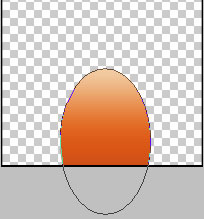

Fill 0% on the layers.
Blending Options-Gradient Overlay

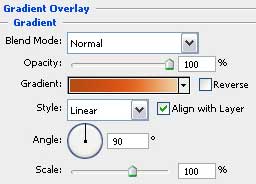
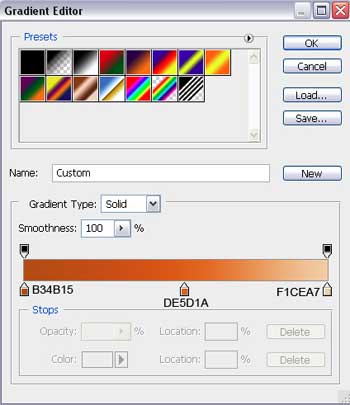
Gradient’s parameters:
Comments