
Underwater Free Desktop Wallpaper
March 24, 2007 | 0 comments
In this tutorial you will create an interesting Underwater desktop wallpaper.
Open a new file that would have 1600×1200 px and 72 dpi. Make use of the next instrument  to create the background for the picture to be next.

Blending Options-Gradient Overlay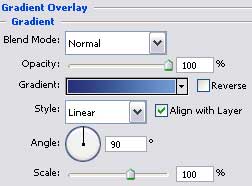
Gradient’s parameters: 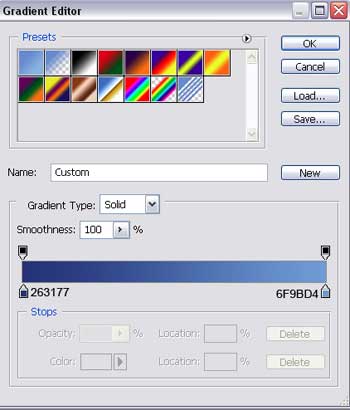
Apply the same instrument to represent the rays, penetrating the water. Make use also of this tool  on the layers to clear out a little the figure with a transparent brush, the way it is demonstrated below.


Fill 0% on the layers.
Blending Options-Gradient Overlay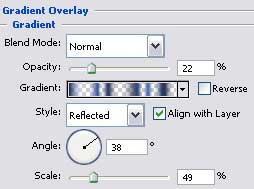
Comments