
Windows Vista Desktop Themes
March 28, 2007 | 0 comments
Learn how to create a Vista styled wallpaper in this tutorial.
Create a new file with 1280×1024 px and 72 dpi. Apply this instrument  to represent the primary layer of the picture to be:

Blending Options-Gradient Overlay
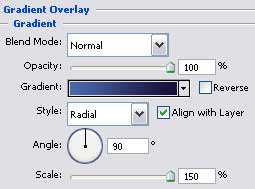
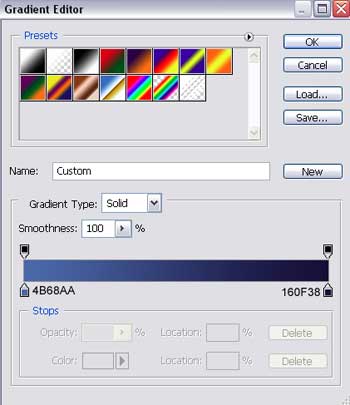
Gradient’s parameters:

Select now the next tool  to draw an optical effect of object’s reflection, having white color.

Fill 0% on the layers.
Make two copies of the new layer and select Free Transform option to make the copies smaller a little:

Comments