Graphic Design Studio Web Layout

April 2nd, 2007 by ART-D Posted in Adobe Photoshop, Web Layout

Download from http://www.deviantart.com brushes evil_bloodsplat. Place them on the next directory … Program FilesAdobeAdobe Photoshop CS2 PresetsBrushes.
Load them and select the Brush Tool (B). Click with the right mouse’s button on the picture and choose the next option:

Create Graphic Design Studio Web Layout in Photoshop CS

Load brushes.
Create a new layer now and apply the appropriate brush of white color on the layer, to get the same picture it is shown below:

Create Graphic Design Studio Web Layout in Photoshop CS

Using the Rectangle Tool (U), represent the lowest layer for the site’s panels, having the white color.

Create Graphic Design Studio Web Layout in Photoshop CS

Blending Options-Drop Shadow

Create Graphic Design Studio Web Layout in Photoshop CS

Using the same instrument, create one more layer reserved for the site’s sections, colored in 4A4A4A.

Create Graphic Design Studio Web Layout in Photoshop CS

Using the same Rectangle Tool (U), represent the layer reserved for the right and left halves of the site to be next.

Create Graphic Design Studio Web Layout in Photoshop CS

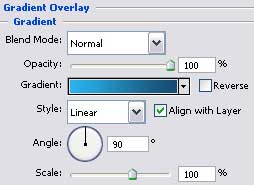
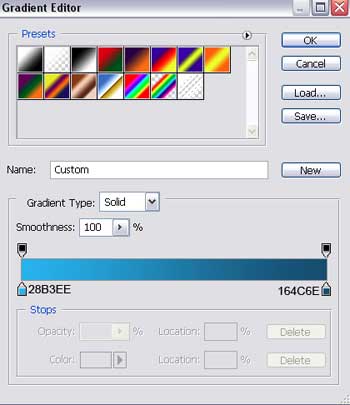
Blending Options-Gradient Overlay

Create Graphic Design Studio Web Layout in Photoshop CS

  •  

  •    
  •  


Post Pages: 1 2 3 4 5 6

  • Aman

    04/02/2010

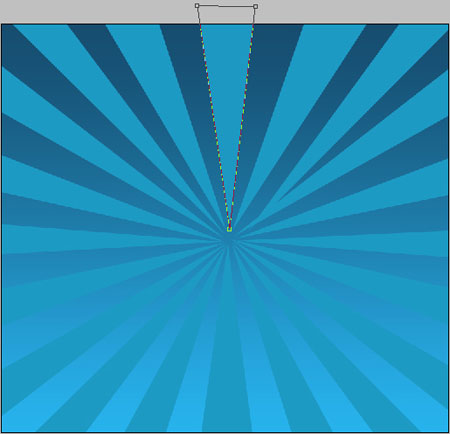
    Hi Thanks fr this tutorial.. But i think its not complete… as you said.. that after making triangle rays with pentool..have to add some perameters rite… okay once its done.. wat about the bottom rays then.. top 20 rays are dark and the bottom 20 are light… something missing… can yew check it ot and then lemme know.. Otherwise its gud.

    Thanks..

  • karan

    30/08/2011

    Hi is there any chance you could put up a tutorial for this on youtube? it would be really helpful, as im struggling to complete the design. thanks.

  • peti193

    28/12/2011

    great tutorial