
Microsoft Windows Vista Wallpaper
April 6, 2007 | 0 comments
This tutorial will teach you how to create interesting and modern wallpaper.
Create a new file having 1280×1024 px and 72 dpi. Select the Rectangle Tool (U) to represent the background for the picture to be next.

Fill 0% on the layers.
Blending Options-Gradient Overlay
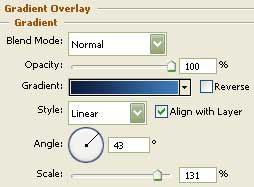
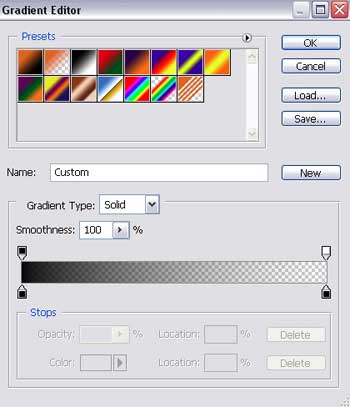
Gradient’s parameters: 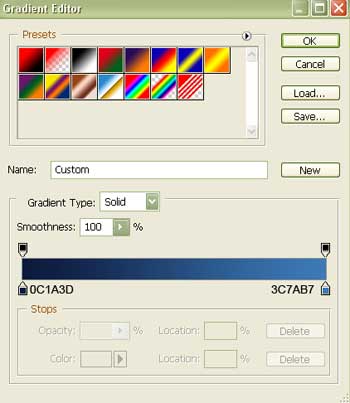

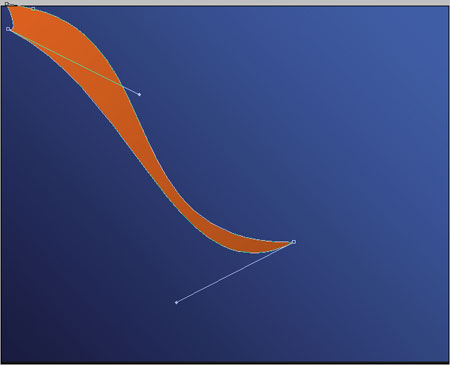
Next we have to apply the Pen Tool (P) to draw an ornament’s element having the color indicated here – E87223.
Blending Options-Gradient Overlay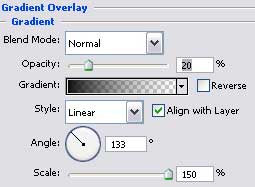
Gradient’s parameters:
Make three copies of this new made layer and apply the Free Transform option to make the necessary corrections on the copies’ size and change their colors. The blue one – 5BABFF:


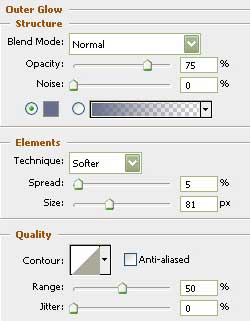
 to draw an ellipse (the shadow).


Comments