Abstract Summer Illustration
April 15th, 2007 by ART-D Posted in Adobe Photoshop, Drawing Techniques
Learn to create an illustration picturing the summer.
Create a new file, having 1280x1024px and 72 dpi. Next we have to select the Paint Bucket Tool (G) and paint it in the next shown color – A53B01. 

Take now the Pen Tool (P) and represent five rays of triangle shape, colored in EB7F01. 
Applying the same instrument used earlier, its possible to represent five wavy stripes. 

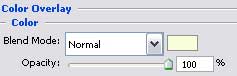
Blending Options-Color Overlay (the same parameter) 
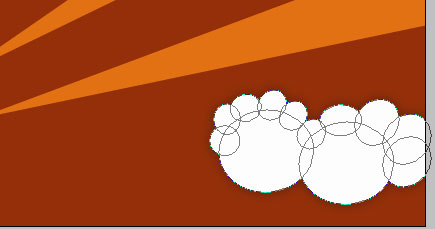
Applying a different instrument now: Ellipse Tool (U) and pressing the Shift button, we have draw a kind of cloud of white color. 
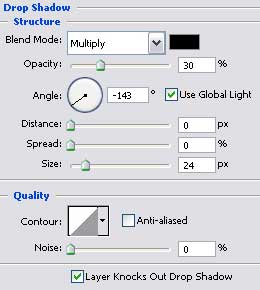
Blending Options-Drop Shadow
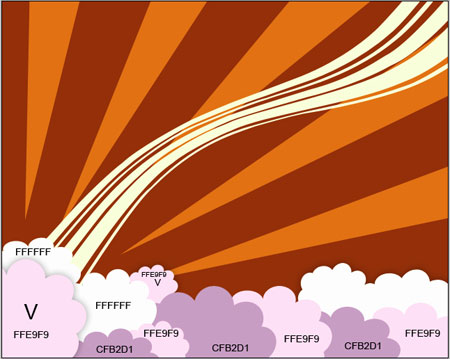
Draw the same way several more clouds of different colors, but only the marked ones (V) have the same parameter demonstrated above: 


Lynn
18/08/2009
Hi,
Could you tell me how you do this?
Make sixty-four copies of the new made layer and select the Free Transform option to change the copies’ sizes and their angle of placement. Everything should look the way it is shown on the picture below:
How do you make the copies and free transform.
Thank you.
Kate
01/09/2009
Cool lesson, easy and spectacular!
Thank you,
Kate
Jon Borichef
22/06/2010
@ Lynn
Use Command/Control-J to duplicate Layer,
Command/Control-T to resize.
Emma
16/08/2010
Thanks – I’m new to PS and learned a LOT from this tutorial!
idjy
25/08/2010
a good idea about the clouds~
Ebony
23/12/2010
Is it possible to achieve the same results in Adobe Illustrator?
bayyou
21/02/2011
Nice cloud.
graphicsdude
24/03/2011
where are the butterflies and stars?