Categories

Partners
 
  • Photoshop Templates

  • Website Templates

  • Web Templates

  • Flash Web Sites

  • WordPress Templates

  • Free Ringtones

  • Free Stock Photos and Images

  • Photoshop

  • St. Louis LASIK | LASIK info

  • Load Cells

  • osCommerce Templates

  • Web Hosting


  • Website Templates
    Search


    Advanced Search


     »  Home  »  Adobe Photoshop  »  Web Layout  »  Modern Web Layout
    Modern Web Layout
    Published  04/22/2007 | Web Layout
       
    Modern Web Layout - part 1


    In this tutorial I will show how to design modern layout.

    Open a new file with 820x790px and 72 dpi. Applying the Rectangle Tool (U), it’s possible to represent the background of the next site to be.

    Create Modern Web Layout in Photoshop CS

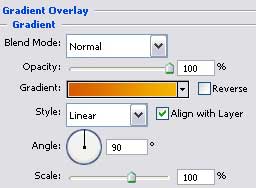
    The layer’s parameters (click on the right mouse’s button on the layers’ panel)
    Blending Options>Gradient Overlay
    Create Modern Web Layout in Photoshop CS

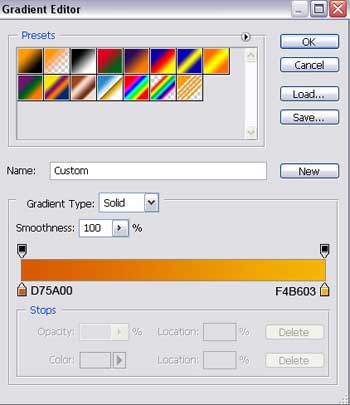
    Gradient’s parameters:

    Create Modern Web Layout in Photoshop CS

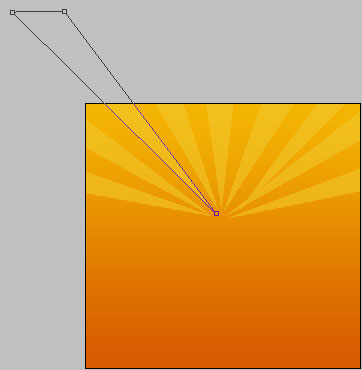
    Select now the usual Pen Tool (P) to draw several rays that would have the same parameters:
    Create Modern Web Layout in Photoshop CS

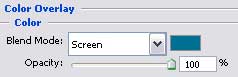
    The layer’s parameters:
    Blending Options>Color Overlay
    Create Modern Web Layout in Photoshop CS

    Merge down in a group all the layers composing the rays (make a click on Ctrl and mark out the necessary layers. Keeping pressed the left mouse’s button try to stretch them down to Create a new group option). Apply the next parameters for the represented group and change the Pass Taught mode on Pin Light, setting the Opacity on 64%.

    Create Modern Web Layout in Photoshop CS

    Choose now the Rounded Rectangle Tool (U) to represent the primary layer of the panel and the site’s sections, having the next color – E3E3E3.

    Create Modern Web Layout in Photoshop CS

    Create Modern Web Layout in Photoshop CS Modern Web Layout
    In this tutorial I will show how to design modern layout.


    PSDTUTS+ Photoshop Tutorials and More