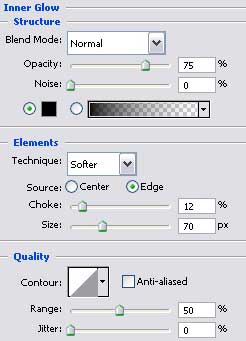
Virtual DJ Picture

April 27th, 2007 by ART-D Posted in Adobe Photoshop, Drawing Techniques

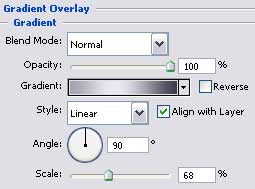
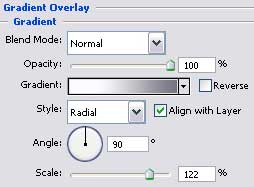
Blending Options>Gradient Overlay

Create Virtual DJ Picture in Photoshop CS

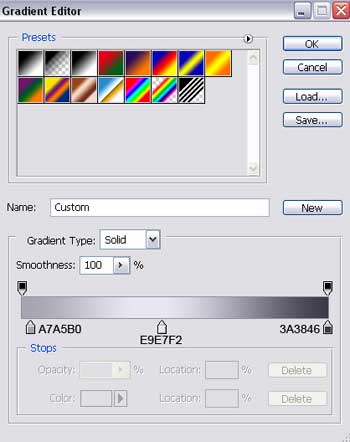
Gradient’s parameters:

Create Virtual DJ Picture in Photoshop CS

Create Virtual DJ Picture in Photoshop CS

Selecting the same instrument, it’s possible to represent one of the strengthening elements, having the color 383839.

Create Virtual DJ Picture in Photoshop CS

The layer’s parameters:
Fill 30% on the layers.
Blending Options>Outer Glow

Create Virtual DJ Picture in Photoshop CS

Create Virtual DJ Picture in Photoshop CS

Make a copy of the new made layer and choose the Free Transform option to make it smaller. Place it the way it is demonstrated below and change its parameters also:

Create Virtual DJ Picture in Photoshop CS

Post Pages: 1 2 3 4 5 6 7 8 9 10 11

  • frostI

    04.27.07

    amazing outcome. i love tech, so this is wonderful for me.

    badly enough i can’t make it. not enough skill.

    only got skill at signatures

  • Graphic Student

    04.27.07

    Not liking this tutorial very much. It’s missing a few things that throws off students trying to go along with this tut. Many in my class cannot understand this past page 3.