Virtual DJ Picture

April 27th, 2007 by ART-D Posted in Adobe Photoshop, Drawing Techniques

Make a copy of the new made layer and apply the Free Transform option to turn it over and to place it the same way it is shown on the next picture, changing the parameters too.

Create Virtual DJ Picture in Photoshop CS

Create Virtual DJ Picture in Photoshop CS

Now we’ll start creating the left glass of the spectacles, selecting the Ellipse Tool (U) and choosing the Convert Point Tool to change the glass’s shape the way you may see below:

Create Virtual DJ Picture in Photoshop CS

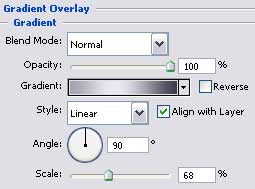
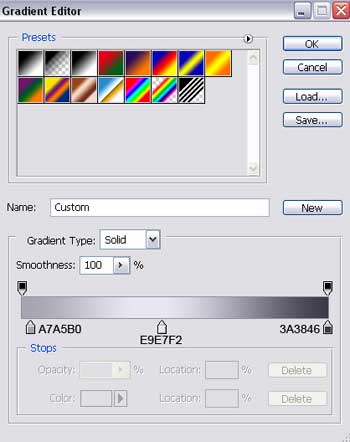
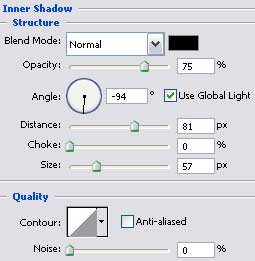
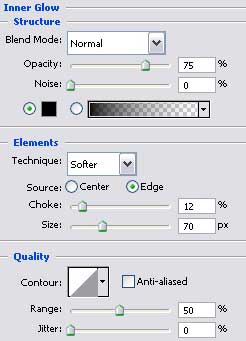
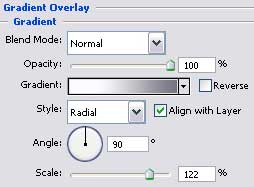
The layer’s parameters:
Fill 0% on the layers.
Blending Options>Drop Shadow

Create Virtual DJ Picture in Photoshop CS

Create Virtual DJ Picture in Photoshop CS

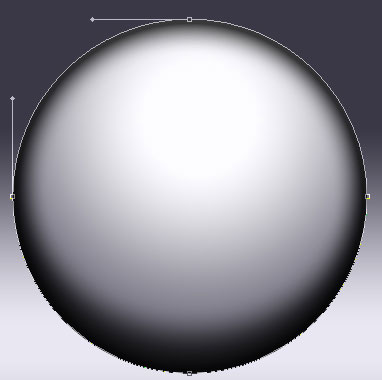
Create a new layer now and pick up the Brush Tool (B) with blurred edges and black color to dark out the central part of the ball.

Create Virtual DJ Picture in Photoshop CS

Create Virtual DJ Picture in Photoshop CS

Post Pages: 1 2 3 4 5 6 7 8 9 10 11

  • frostI

    04.27.07

    amazing outcome. i love tech, so this is wonderful for me.

    badly enough i can’t make it. not enough skill.

    only got skill at signatures

  • Graphic Student

    04.27.07

    Not liking this tutorial very much. It’s missing a few things that throws off students trying to go along with this tut. Many in my class cannot understand this past page 3.