Categories

Partners


  • Free Flash Website

  • Website Templates

  • Adobe Photoshop Tutorials

  • Bittorent and
    Google desktop programs

  • Free Stock Photos and Images

  • Adobe Photoshop Tutorials

  • Photoshop, Flash, 3dsmax tutorials
  • Search


    Advanced Search


    Subscribe

    Personal Web Site Header
    Published  04/30/2007 | Web Layout
       
    Personal Web Site Header - part 1


    In this tutorial you will learn how to create a header design perfect for personal web sites.

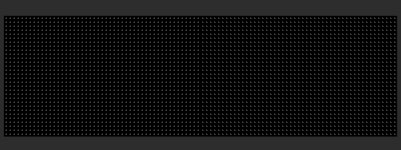
    Create a new file (File>New) that would have 770x150 px and 72 dpi. Applying the here shown instrument Paint Bucket Tool, it’s possible to paint in 2D2D2D.

    Create Personal Web Site Header in Photoshop CS

    Create a new layer of 4x4 px and 72 dpi and select the Pencil Tool (B) to create the texture shown below for the Pattern.
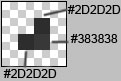
    Create Personal Web Site Header in Photoshop CS

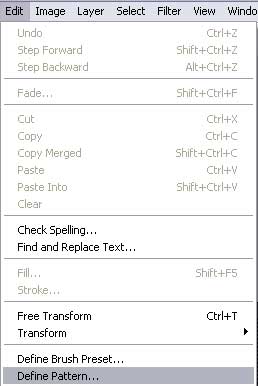
    Save it!

    Create Personal Web Site Header in Photoshop CS

    Create a new layer again and choose this time the Rectangle Tool (U) to represent the background reserved for the background of the menu, situated on the site’s header. It should have the black color.
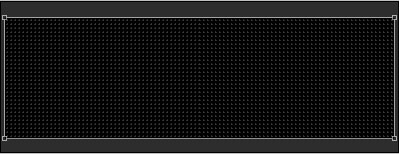
    Create Personal Web Site Header in Photoshop CS

    The layer’s parameters:
    Blending Options>Pattern Overlay
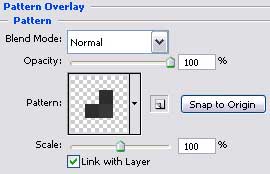
    Create Personal Web Site Header in Photoshop CS

    Create Personal Web Site Header in Photoshop CS

    Now we should represent the primary layer of the site’s header, applying the Rounded Rectangle Tool (U) and then press the Alt button to cut out the lowest part, selecting the Rectangle Tool (U) also.

    Create Personal Web Site Header in Photoshop CS

    Create Personal Web Site Header in Photoshop CS Personal Web Site Header
    In this tutorial you will learn how to create a header design perfect for personal web sites.

    WiFiReview.com - your guide to the wireless world