
Invasion of Balls Wallpaper
May 3, 2007 | 0 comments
Create a wallpaper with balls from scratch in this tutorial.
Create a new file (File>New) with 1024×768 px and 72 dpi and select the Rectangle Tool (U) to represent the picture’s background.
The layer’s parameters:
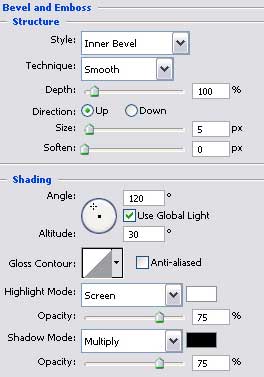
Blending Options>Bevel and Emboss
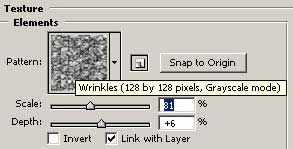
Blending Options>Bevel and Emboss>Texture

Blending Options>Gradient Overlay
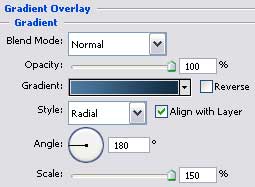
Gradient’s parameters: 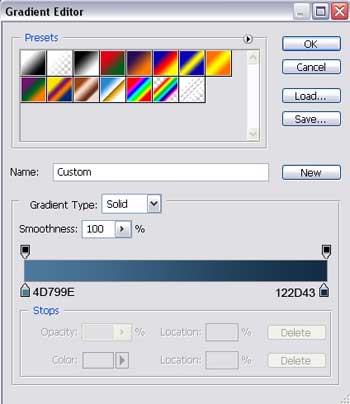

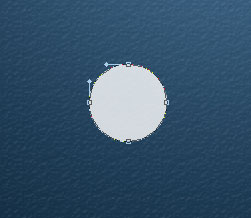
Pick up after that the Ellipse Tool (U) to create the primary layer of the sphere that we want to put in our picture.
Comments