
Media Icon
May 4, 2007 | 0 comments
In this Photoshop tutorial I’ll teach you how to make a media icon.
Open a new file (File>New) that would have 450×450 px and 72 dpi.
Select after that Ellipse Tool (U) to represent the primary layer of loud speaker to be next.
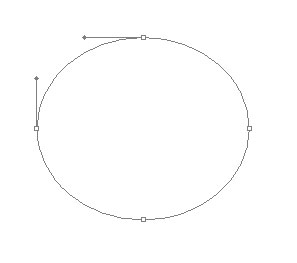
The layer’s parameters:
Fill 0% on the layers.
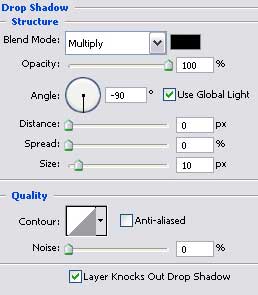
Blending Options>Drop Shadow
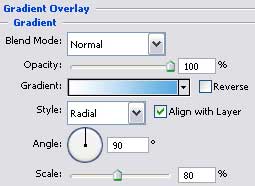
Blending Options>Gradient Overlay

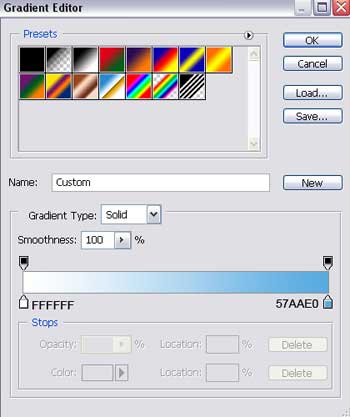
Gradient’s parameters:
Blending Options>Stroke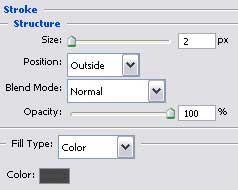

Comments