
Attractive Vista Wallpaper
May 12, 2007 | 0 comments
This tutorial we will teach some basic and advanced techniques that will help you create an attractive Windows Vista Wallpaper.
Create a new file (File>New) having 1024×768 px and 72 dpi. Using the Rectangle Tool (U) paint out the background of the picture we want to represent below.
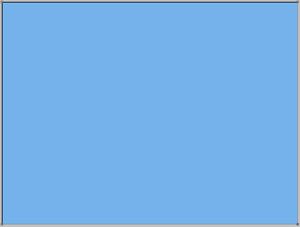
The layer’s parameters:
Blending Options>Gradient Overlay
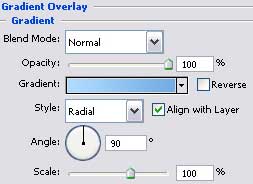
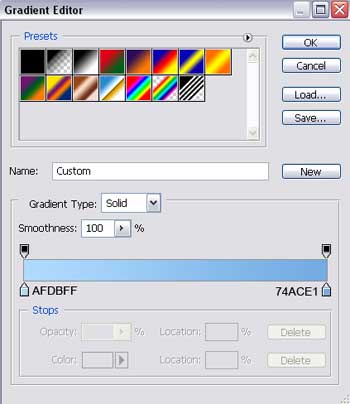
Gradient’s parameters:


Select now the Pen Tool (P) and represent the primary layer of the glass tube shown next, which corrections may be done with Convert Point Tool.
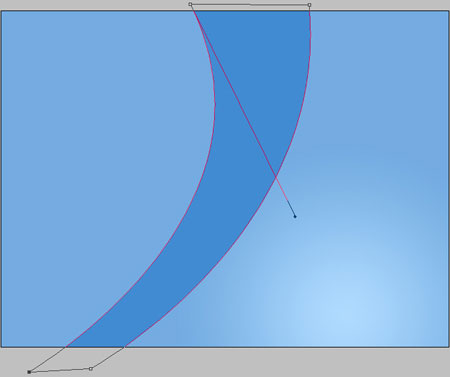
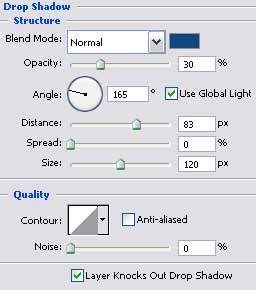
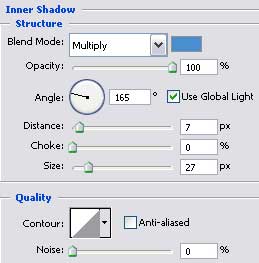
The layer’s parameters:
Blending Options>Drop Shadow
Blending Options>Inner Shadow
Comments