
Designing Trendy Corporate Logo
May 15, 2007 | 0 comments
Design a quick clean logo, perfect for trendy corporate logo.
Create a new file (File>New) with 450×450 and 72 dpi.
The two mentioned below instruments will be helpful in representing the primary layer for the icon we want to draw next. For the beginning select the Rectangle Tool (U) to paint out the basic layer in this shown color – # FBC817. Then we need to select the Ellipse Tool (U) to cut out a circle the way it is demonstrated on the next picture, pressing Alt button simultaneously:

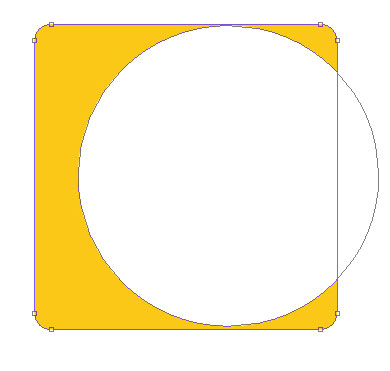
The layer’s parameters:
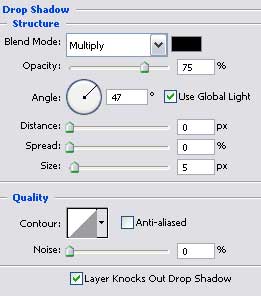
Blending Options>Drop Shadow


Select again the Rectangle Tool (U) to represent the flare of white color, lifting up a little the right lowest picture’s head with the Convert Point Tool.
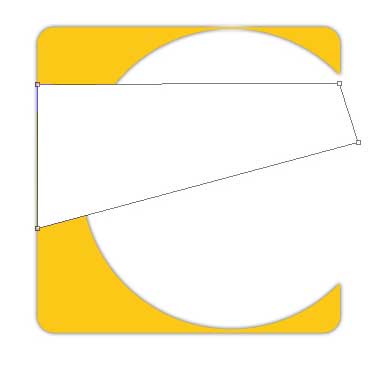
The layer’s parameters:
Fill 30% on the layers:

Comments