
Simple Website Button
In this tutorial we’ll learn how to create a simple website button using Photoshop techniques.
Final Image Preview

Create a new file (File>New) having 450×450 px and 72 dpi.
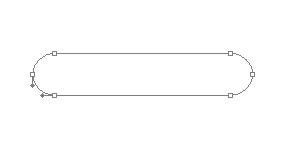
Next we’ll use the Rounded Rectangle Tool (U) to represent the primary layer of the button we’ll represent below.

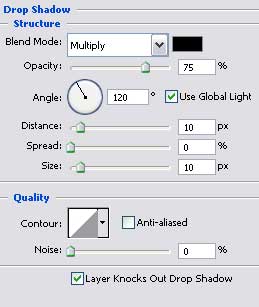
The layer’s parameters:
Blending Options>Drop Shadow

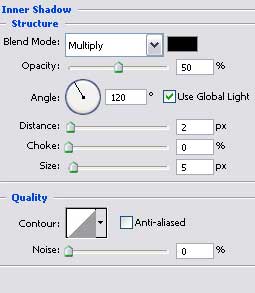
Blending Options>Inner Shadow
Blending Options>Gradient Overlay
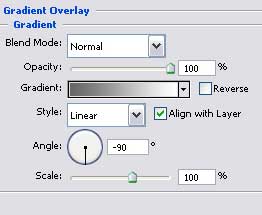
Gradient’s parameters:
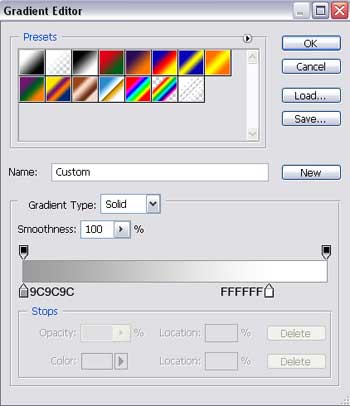 Blending Options>Stroke
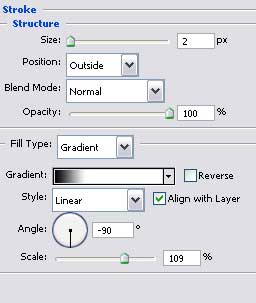
Gradient’s parameters:
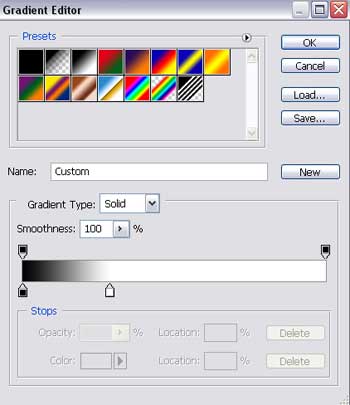

Using the details from the next table, we’ll try to write the button’s name:
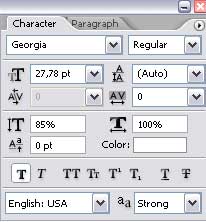

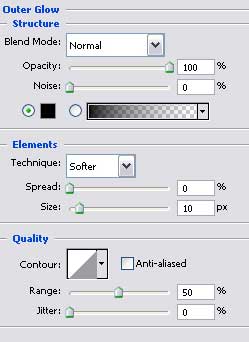
The layer’s parameters:
Blending Options>Outer Glow
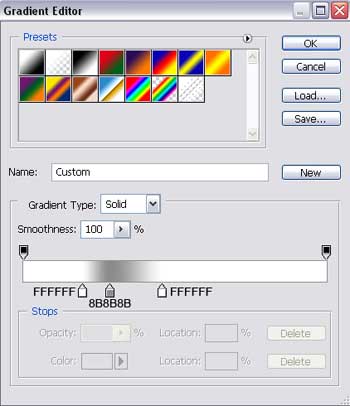
Blending Options>Gradient Overlay
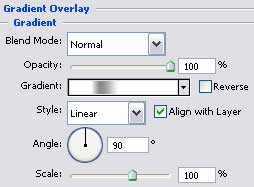 Gradient’s parameters:

Select now the Rectangle Tool (U) to represent on the lowest button’s half a darkening:

The layer’s parameters:
Fill 0% on the layers.
Blending Options>Gradient Overlay
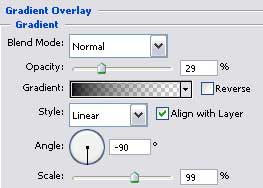
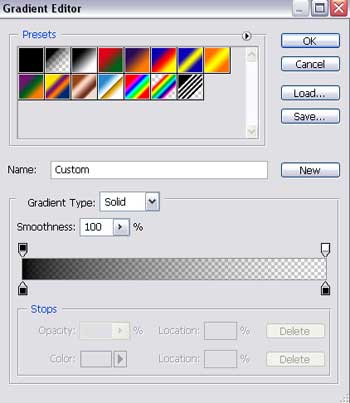
Gradient’s parameters:
Drawing the button is finished!
Comments